> ## Documentation Index
> Fetch the complete documentation index at: https://docs.textmine.com/llms.txt
> Use this file to discover all available pages before exploring further.
# 10 March 2025
> Multiple reviewers, customise columns, new home screen
This page was imported from Intercom and may describe older navigation or terminology. Source: [https://help.textmine.com/en/articles/10742609-10-march-2025](https://help.textmine.com/en/articles/10742609-10-march-2025)
We have released a number of key improvements to the platform:
## Multiple reviewers and better reviewer management
It is now possible to have multiple reviewers. An assignee can do the first analysis of Vault tags and a reviewer can double check the work of the assignee.
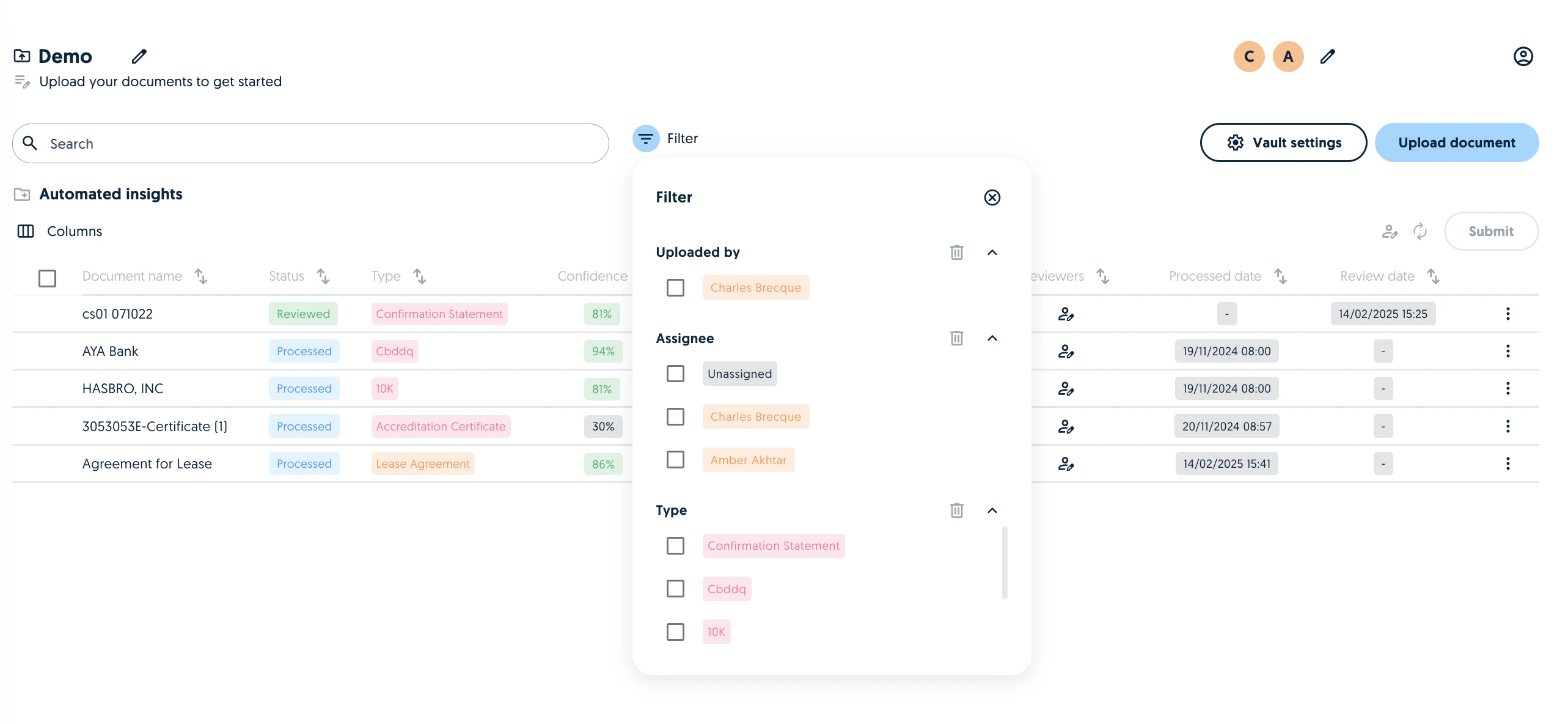
 You can filter the documents in a Vault team by document type, uploader or assignee.
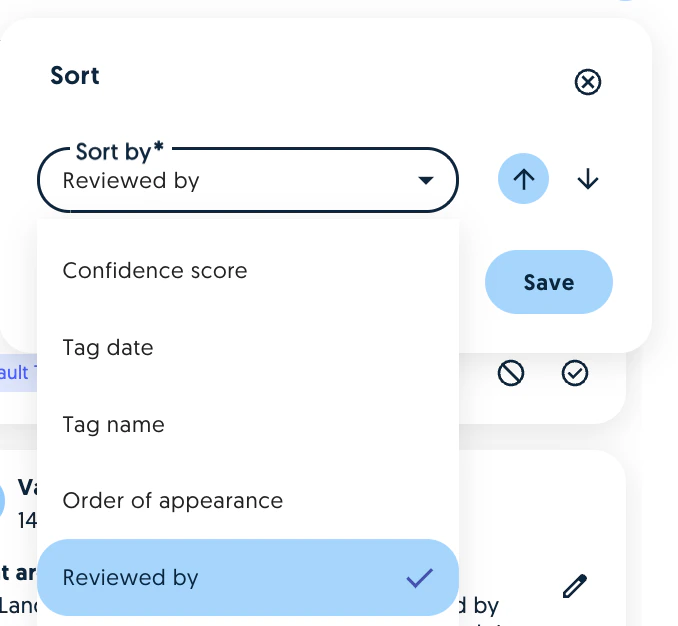
 You can also filter the tags by Reviewer in a Vault document:
 ## New home screen for Vault users
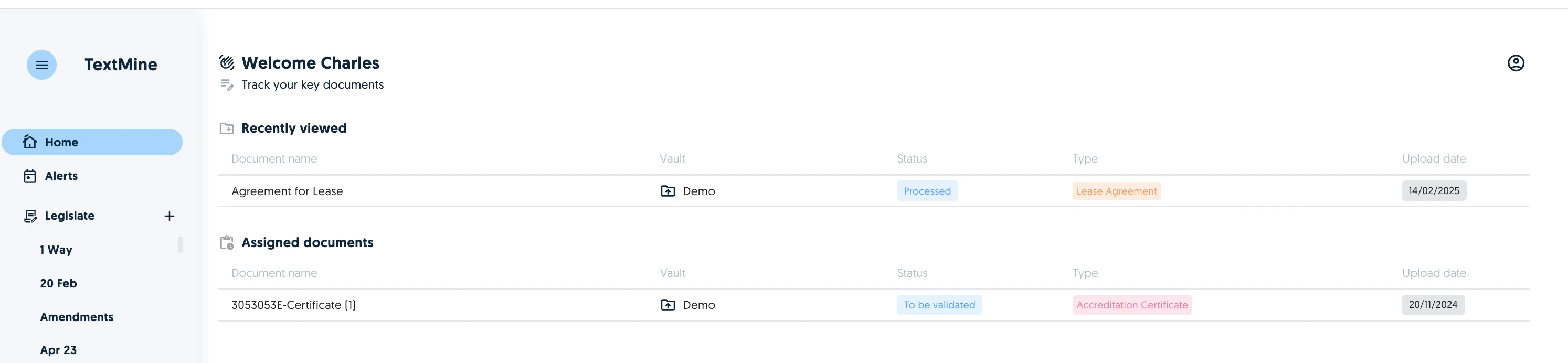
Vault users can now see recently viewed documents and the documents which have been assigned to them.
## New home screen for Vault users
Vault users can now see recently viewed documents and the documents which have been assigned to them.
 ## Customise Vault columns
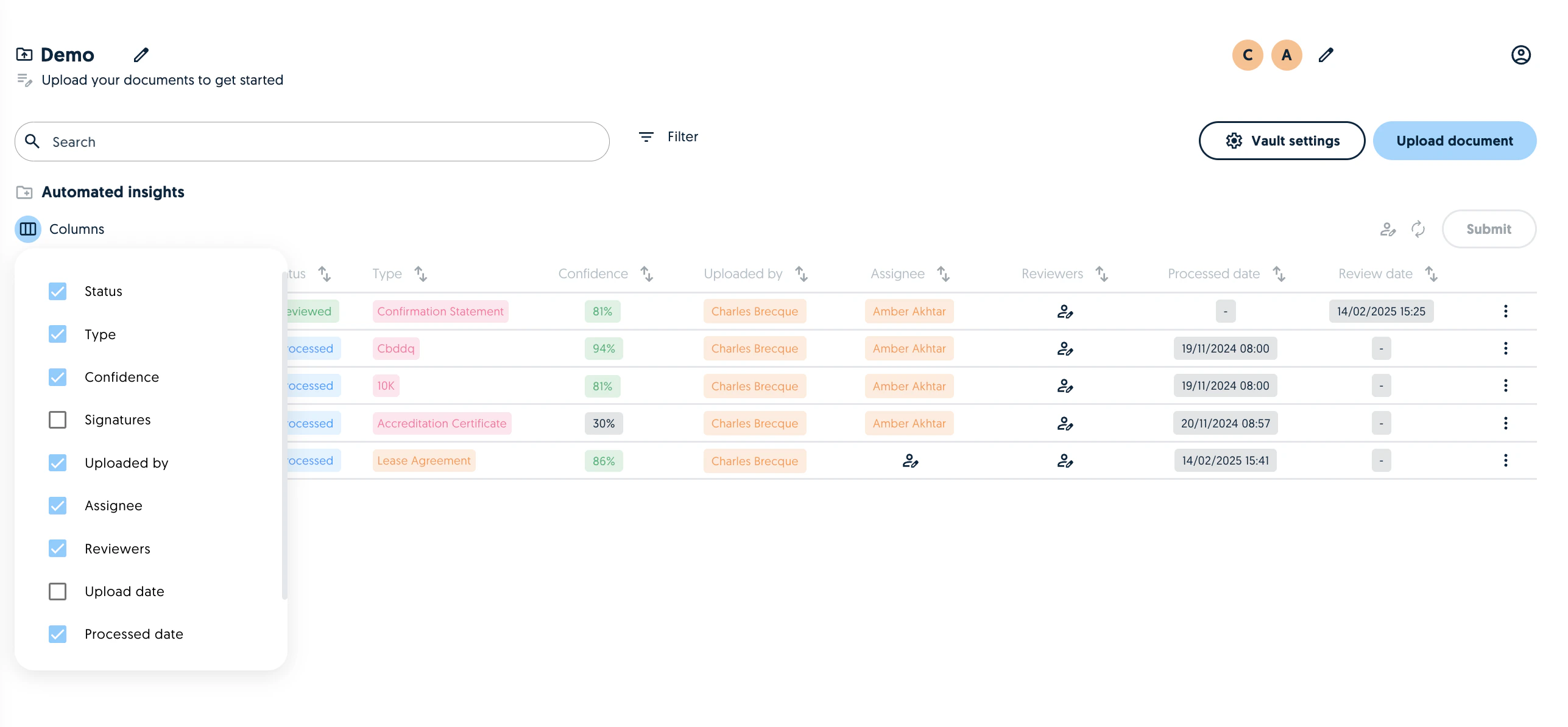
You can configure which columns to display in a Vault team by clicking on the Columns icon below Automated insights. The settings will be saved for the next time you visit the team.
## Customise Vault columns
You can configure which columns to display in a Vault team by clicking on the Columns icon below Automated insights. The settings will be saved for the next time you visit the team.
 ## Agile text extraction
This setting allows you to prioritise quick text extraction techniques over more expensive extraction techniques which might take longer. This can be enabled in the Vault settings:
## Agile text extraction
This setting allows you to prioritise quick text extraction techniques over more expensive extraction techniques which might take longer. This can be enabled in the Vault settings:
