> ## Documentation Index
> Fetch the complete documentation index at: https://docs.textmine.com/llms.txt
> Use this file to discover all available pages before exploring further.
# 14 Feb 2025
> Improved dashboard, tag highlighting and reviewing
This page was imported from Intercom and may describe older navigation or terminology. Source: [https://help.textmine.com/en/articles/10559277-14-feb-2025](https://help.textmine.com/en/articles/10559277-14-feb-2025)
## Vault Dashboard
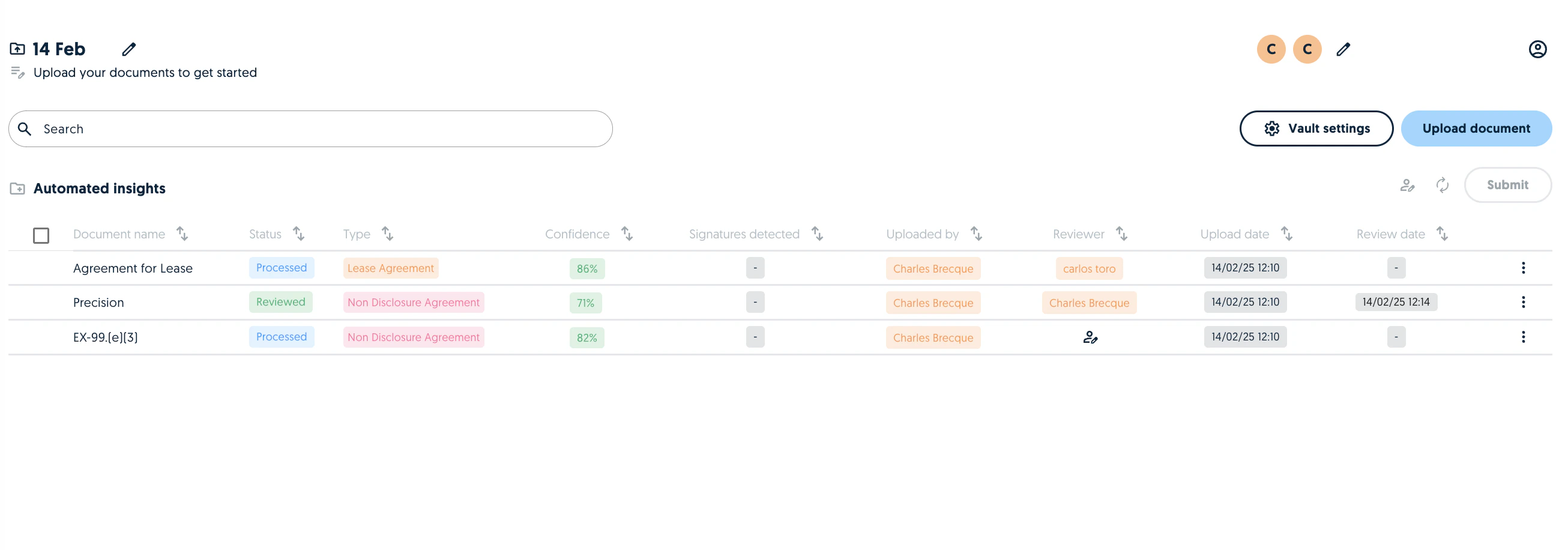
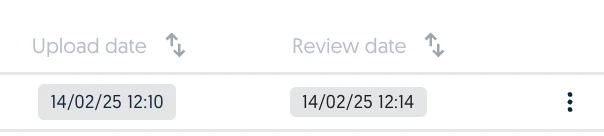
The Vault dashboard now provides greater visibility into document uploads. This now includes the upload date, uploader name, reviewer name and review date. All columns can be used to sort the documents in Vault.
 ## Tag highlighting
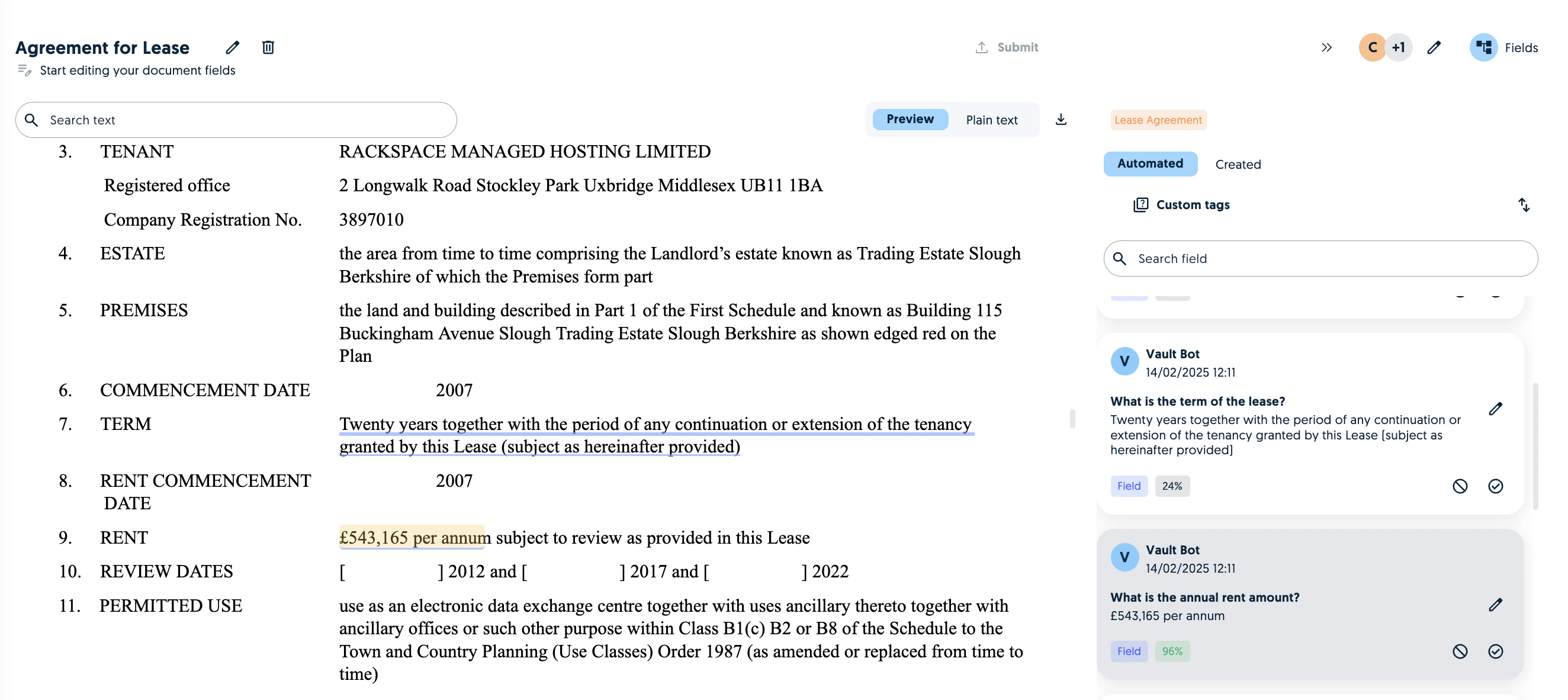
Within a document, it is now possible to see the highlighted tags in the pdf preview. This was previously only possible in the plain text. A key thing to note is that the highlighting might not work on scanned documents. However, the search will always work on the Plain text tab.
## Tag highlighting
Within a document, it is now possible to see the highlighted tags in the pdf preview. This was previously only possible in the plain text. A key thing to note is that the highlighting might not work on scanned documents. However, the search will always work on the Plain text tab.
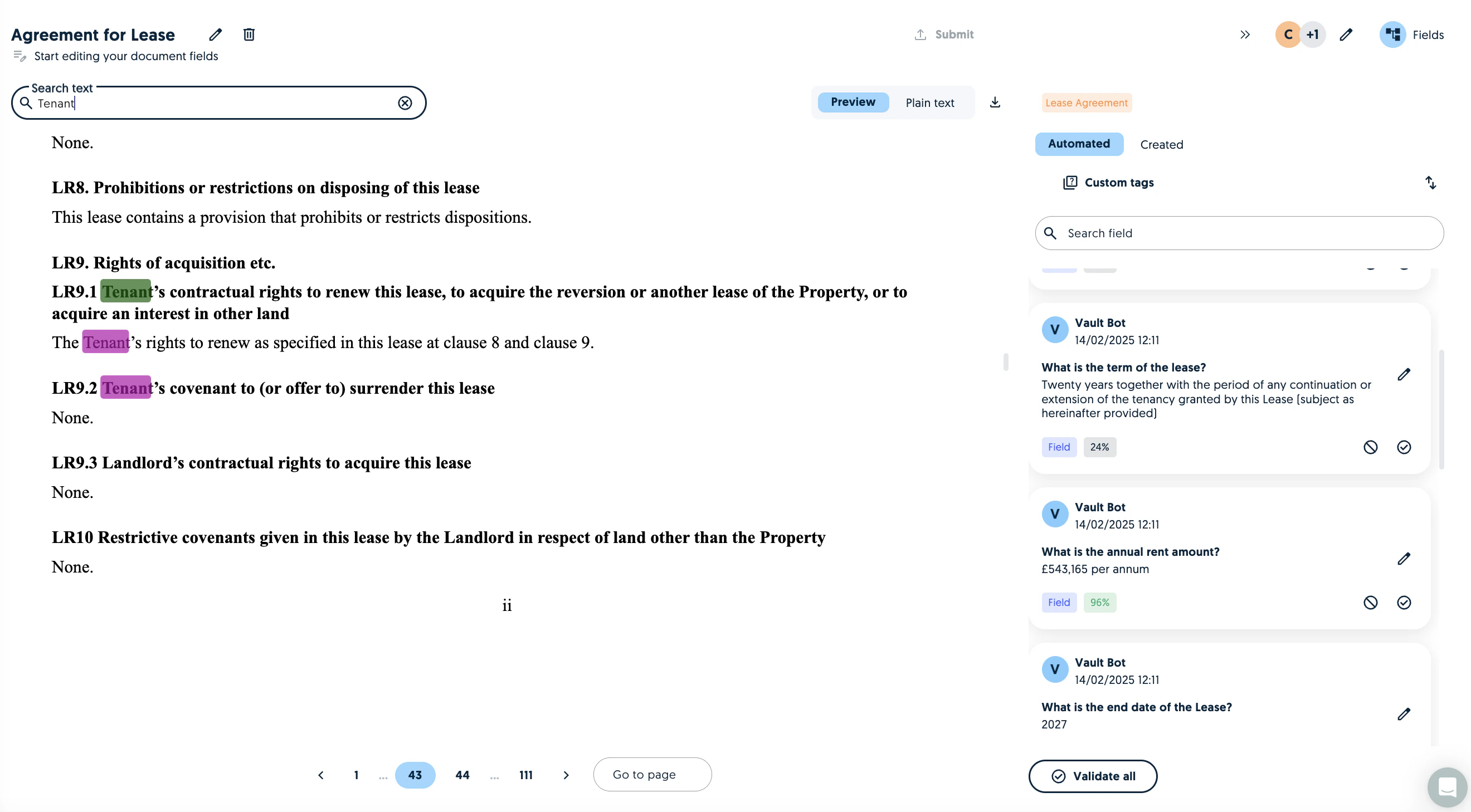
 You can also use the search bar to navigate through the document. Using your keyboard's arrows you can switch through the answers.
 ## Reviewers
### Assigning Reviewers
You can now assign uploaded documents to reviewers.
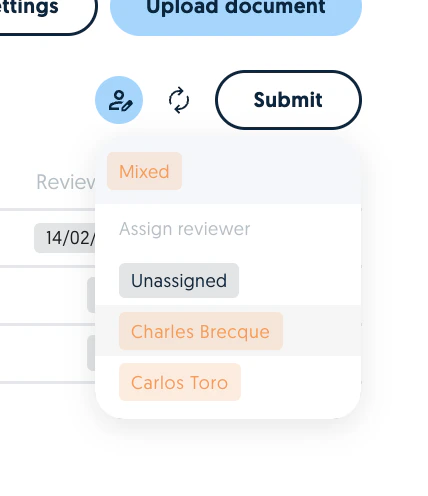
#### Assign reviewers in bulk:
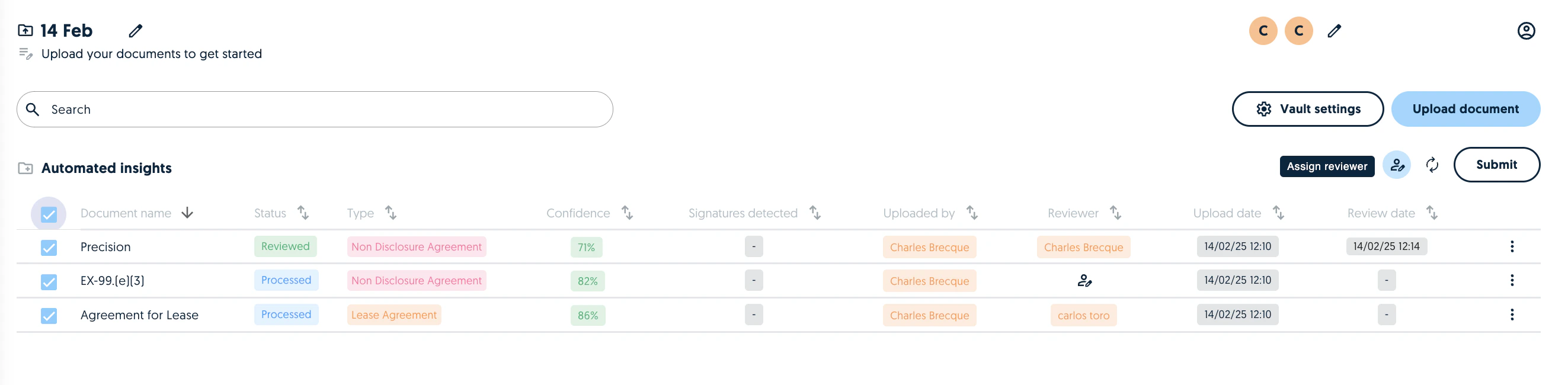
Select the relevant documents and assign the reviewer
## Reviewers
### Assigning Reviewers
You can now assign uploaded documents to reviewers.
#### Assign reviewers in bulk:
Select the relevant documents and assign the reviewer
 #### Assign reviewers one by one
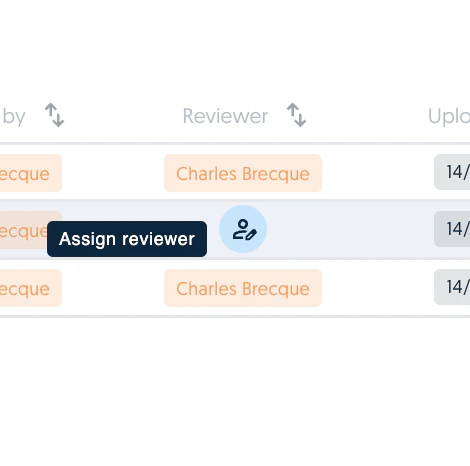
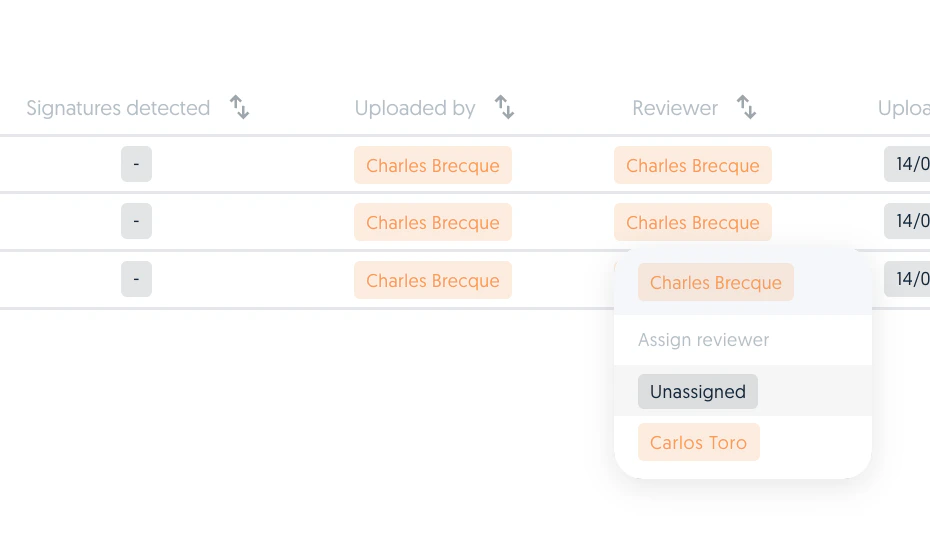
Click on the reviewer label and assign a reviewer. You can also un-assign or re-assign a document's reviewer at any time.
#### Assign reviewers one by one
Click on the reviewer label and assign a reviewer. You can also un-assign or re-assign a document's reviewer at any time.
 ### Audit Trail
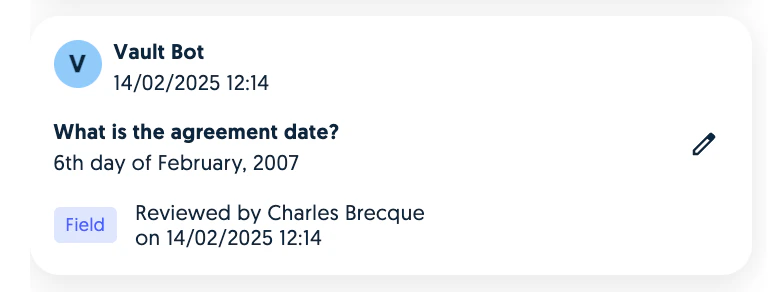
The review date now appears next to individual tags when a field is validated.
### Audit Trail
The review date now appears next to individual tags when a field is validated.
 The document's overall review date now appears in the dashboard.
 ### Validation settings
Within the Vault settings it is now possible to enforce the review strategy by enabling the "Only reviewers can validate fields" setting.
### Validation settings
Within the Vault settings it is now possible to enforce the review strategy by enabling the "Only reviewers can validate fields" setting.
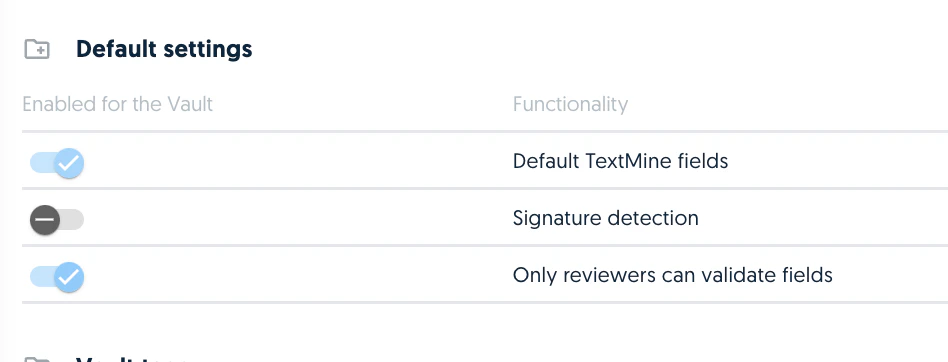 This means that unassigned tags can't be reviewed by users who are not assigned to the document.