> ## Documentation Index
> Fetch the complete documentation index at: https://docs.textmine.com/llms.txt
> Use this file to discover all available pages before exploring further.
# 18 November 2024
> Pagination and pdf exports
This page was imported from Intercom and may describe older navigation or terminology. Source: [https://help.textmine.com/en/articles/10191547-18-november-2024](https://help.textmine.com/en/articles/10191547-18-november-2024)
TextMine has released a number of new features to improve the user experience. These include:
*
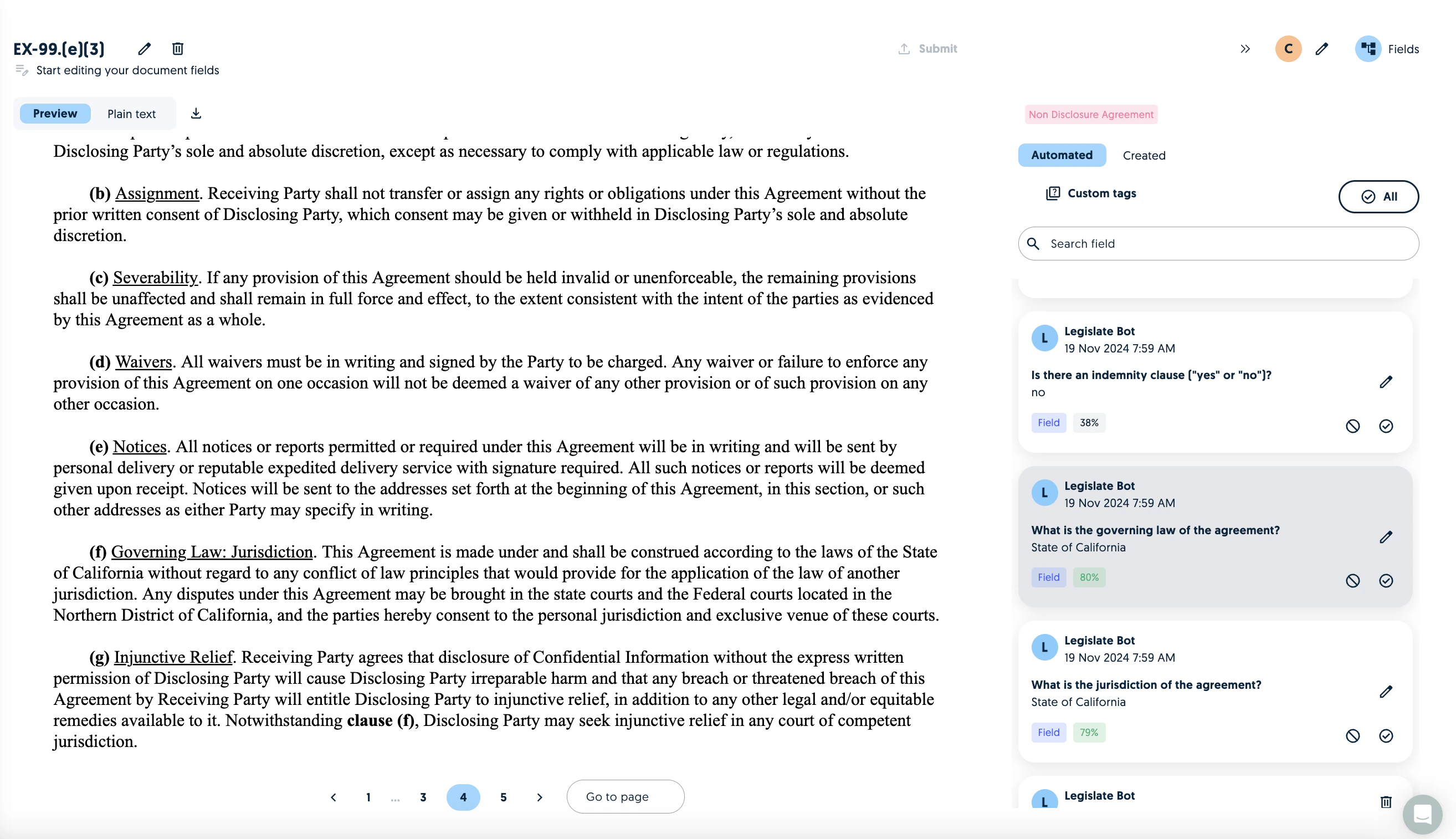
Pagination of documents in Vault
*
The ability to jump to a relevant page on the preview as opposed to the plain text
*
The ability to generate a marked up pdf containing the
## Pagination
Users can go to a specific page or select a field to go to the page which contains the field. Users can also switch between the preview and plain text of a specific page.
 ## Marked up exports
You can now generate a marked up copy of the preview which can be easily downloaded and shared with relevant stakeholders.
## Marked up exports
You can now generate a marked up copy of the preview which can be easily downloaded and shared with relevant stakeholders.
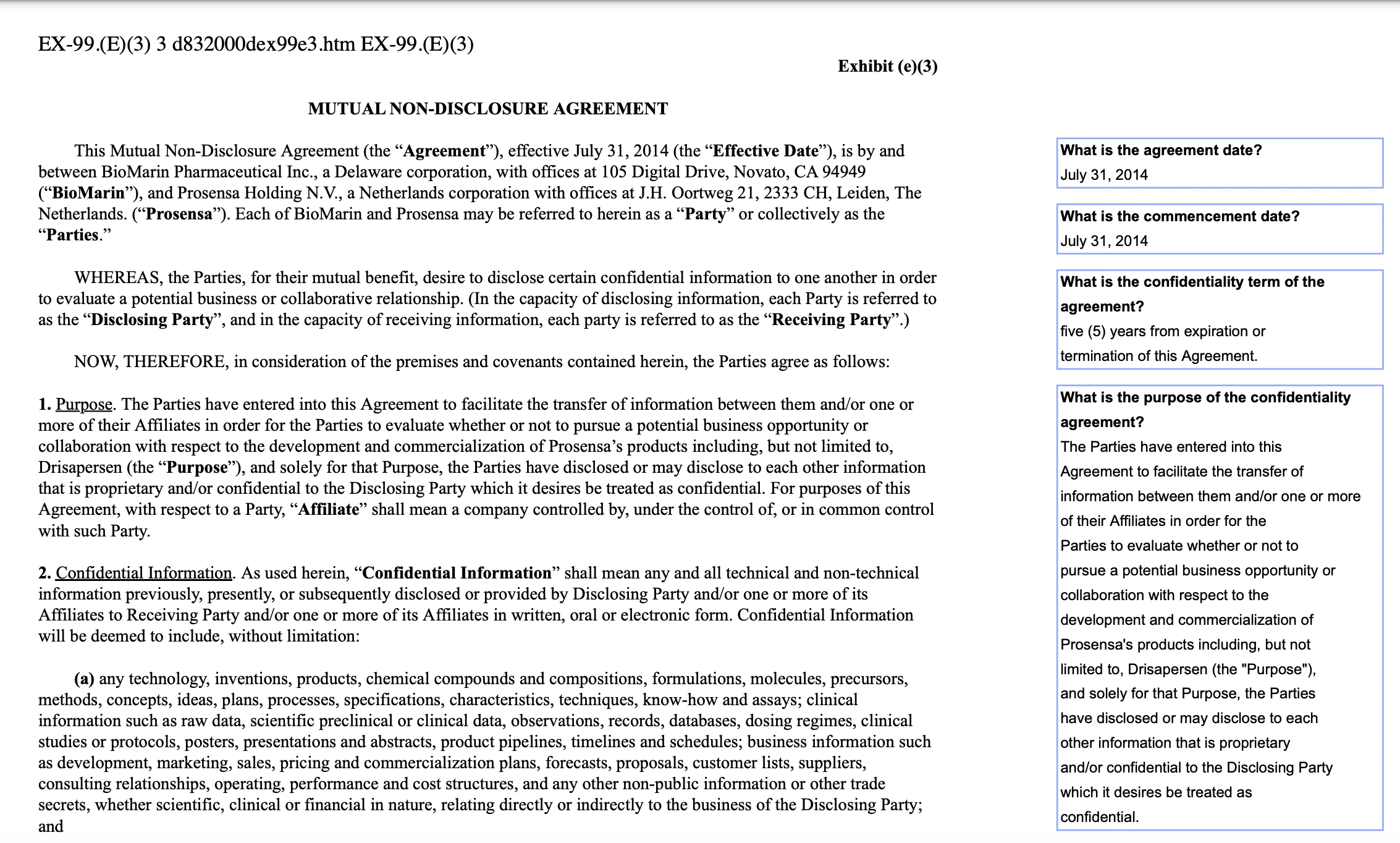 The pdf can be generated with the download button next to the plain text toggle. The fields will be listed on the corresponding page where the model found the answer.