> ## Documentation Index
> Fetch the complete documentation index at: https://docs.textmine.com/llms.txt
> Use this file to discover all available pages before exploring further.
# 19 November 2025
> Image tags, Chained tags, List and folder improvements
This page was imported from Intercom and may describe older navigation or terminology. Source: [https://help.textmine.com/en/articles/12870171-19-november-2025](https://help.textmine.com/en/articles/12870171-19-november-2025)
## Folder improvements
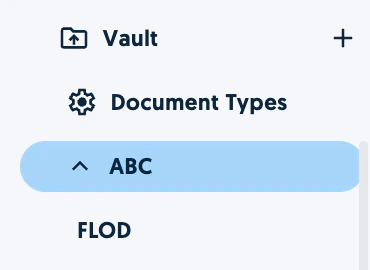
We now display folders in the sidebar below the business unit.
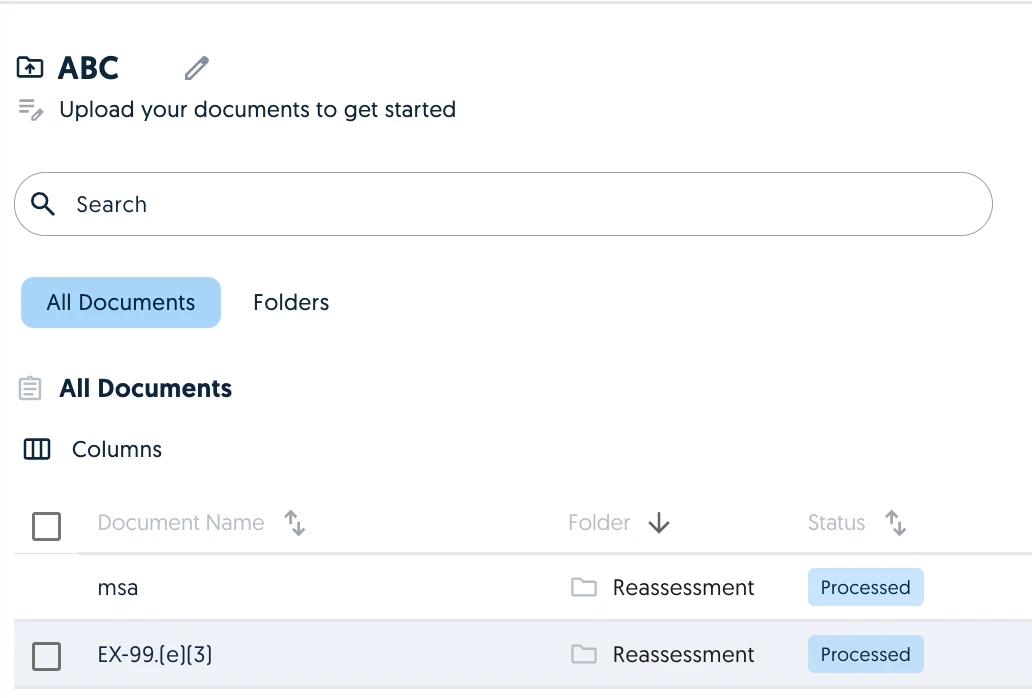
 In addition to being able to filter by folder, you can now sort the Vault view by Folder.
 ## Vault editor improvements
The vault editor performance and usability has been improved.
When validating tags, you will be taken to the next tag to be validated automatically.
When a tag presents data in a list format, we will suggest a list editing tool to make the handling of the data easier.
## Vault editor improvements
The vault editor performance and usability has been improved.
When validating tags, you will be taken to the next tag to be validated automatically.
When a tag presents data in a list format, we will suggest a list editing tool to make the handling of the data easier.
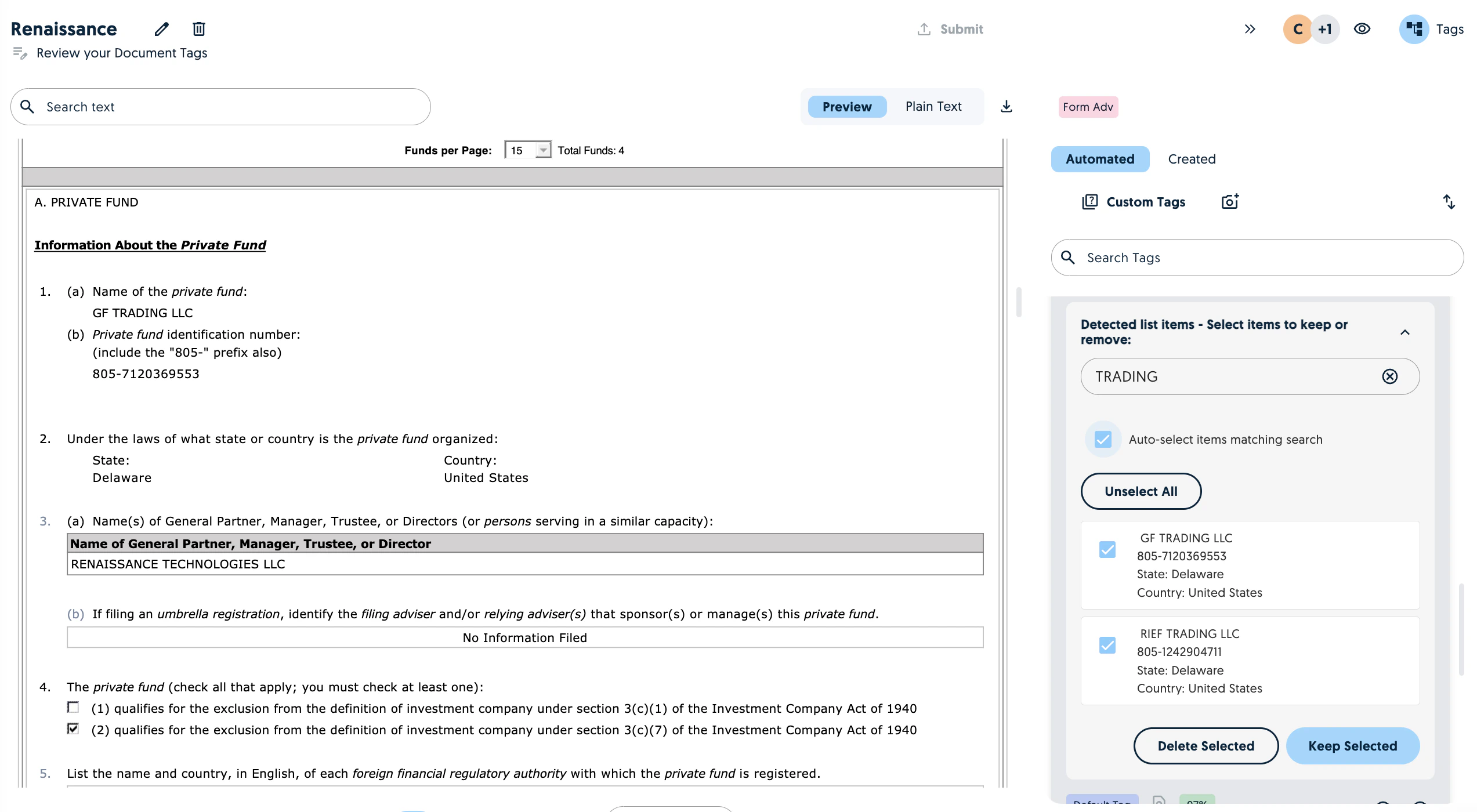 You can search, keep or delete the selection.
## Image Tags
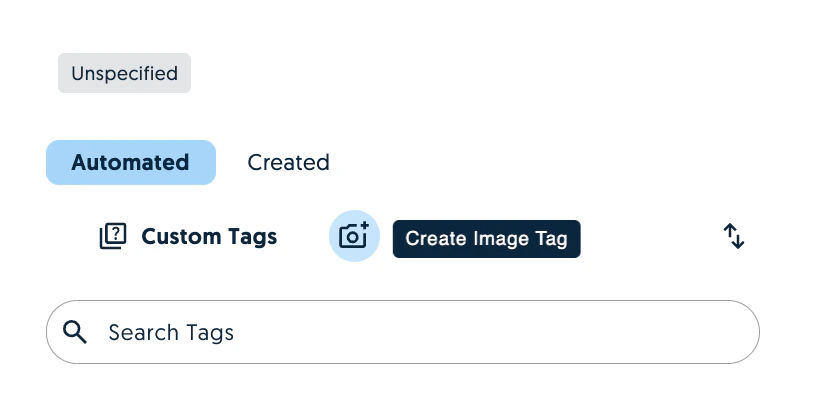
You can now prompt images within documents. Click on create image tag and select the portion of the image you would like the model to analyse.
You can search, keep or delete the selection.
## Image Tags
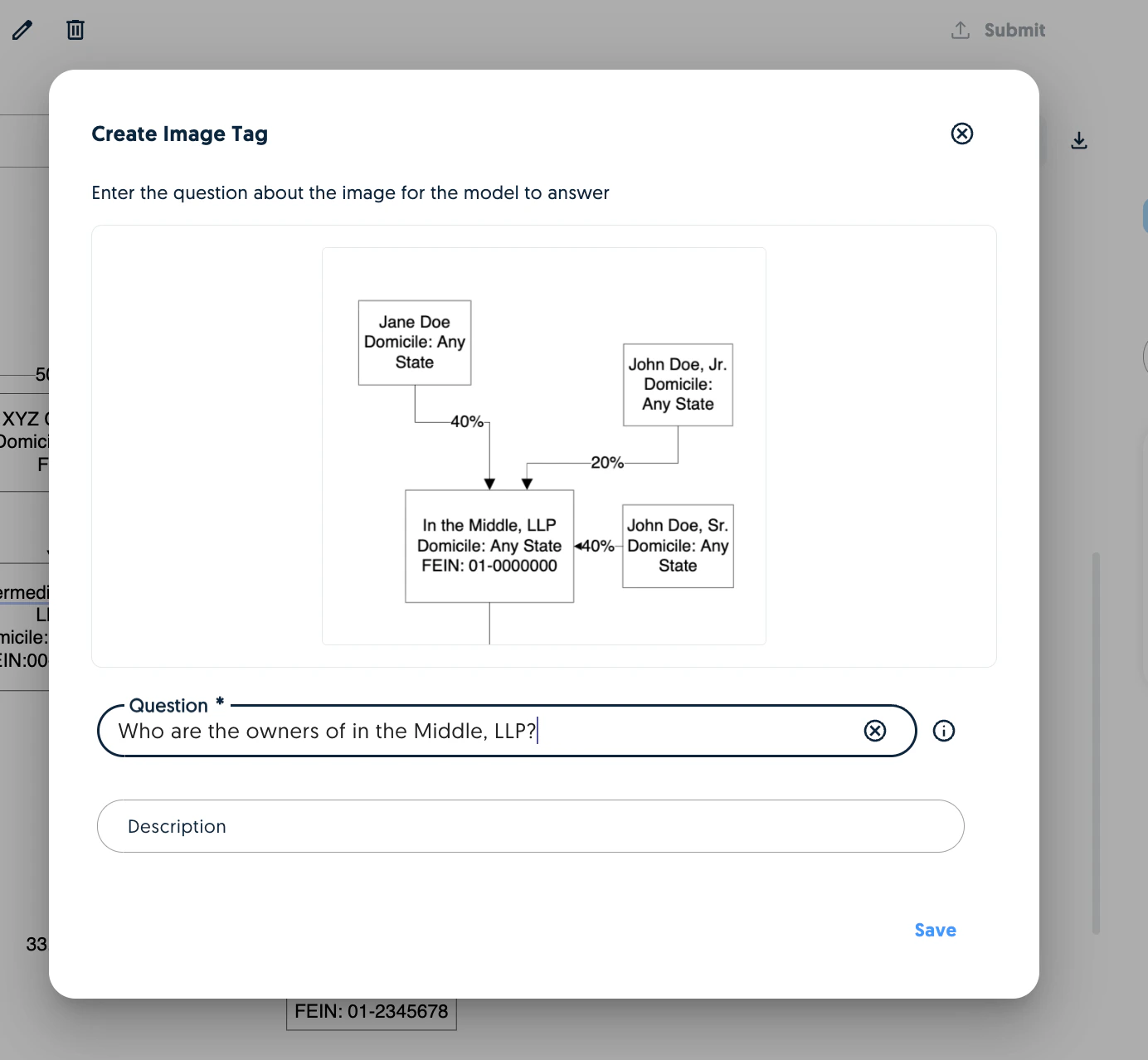
You can now prompt images within documents. Click on create image tag and select the portion of the image you would like the model to analyse.
 Once you've selected the image, create and process your question.
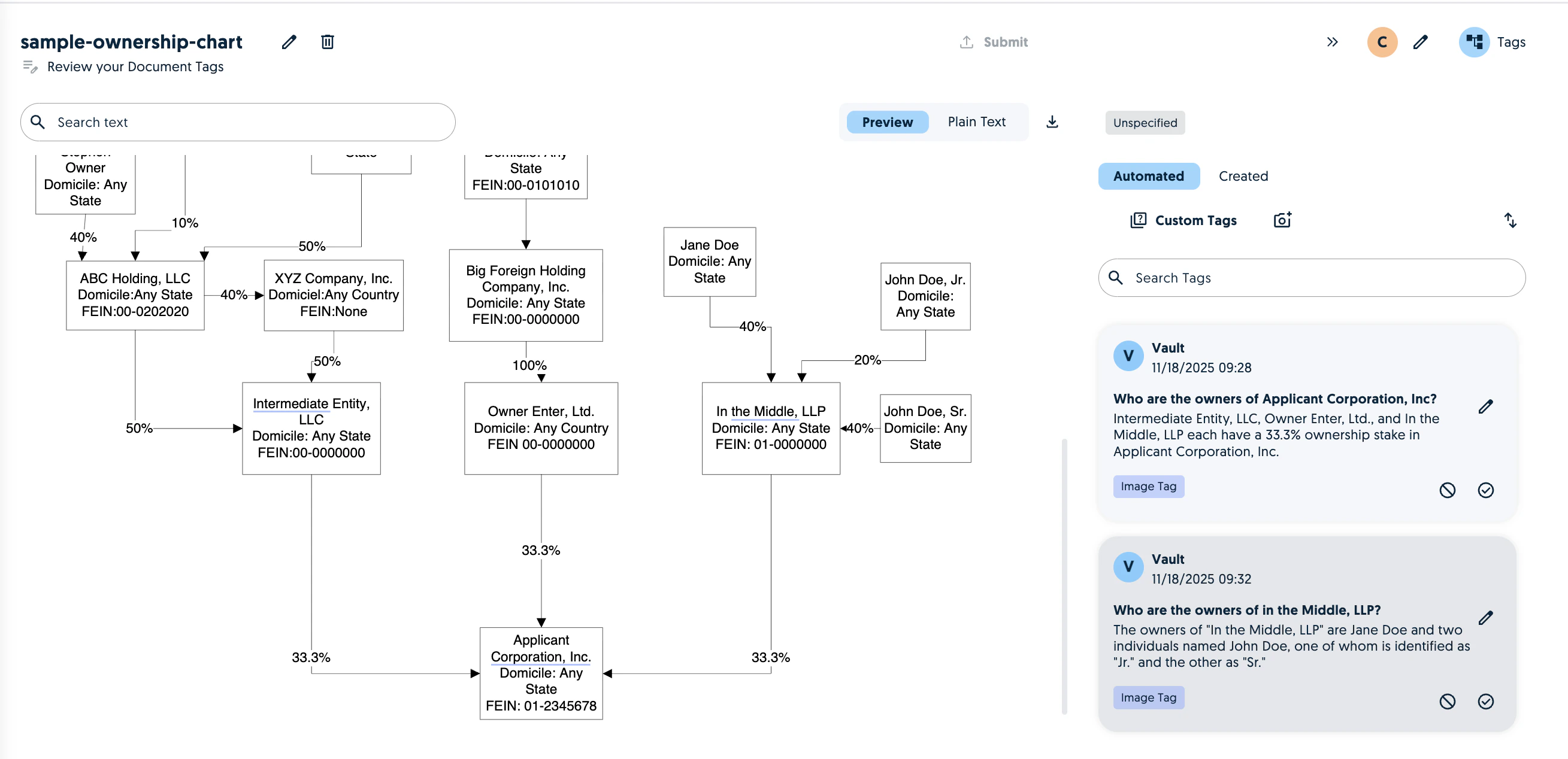
 You will then see the answers as image tags the editor.
 ## Chained Tags
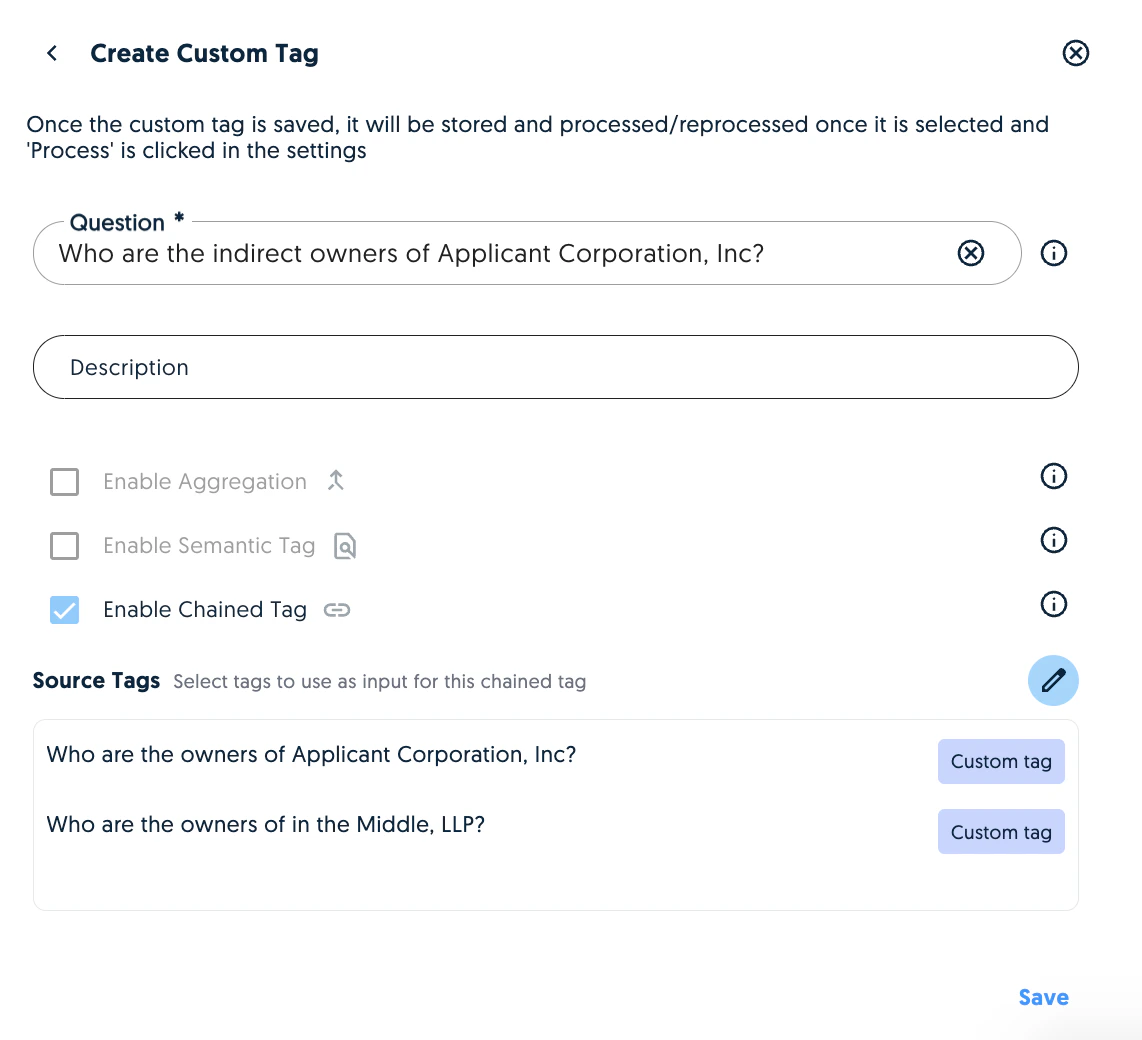
A chained tag is a new tag which allows you to answer questions using answers from other tags. To created a chained tag, click on custom tags and enabled chained tag.
## Chained Tags
A chained tag is a new tag which allows you to answer questions using answers from other tags. To created a chained tag, click on custom tags and enabled chained tag.
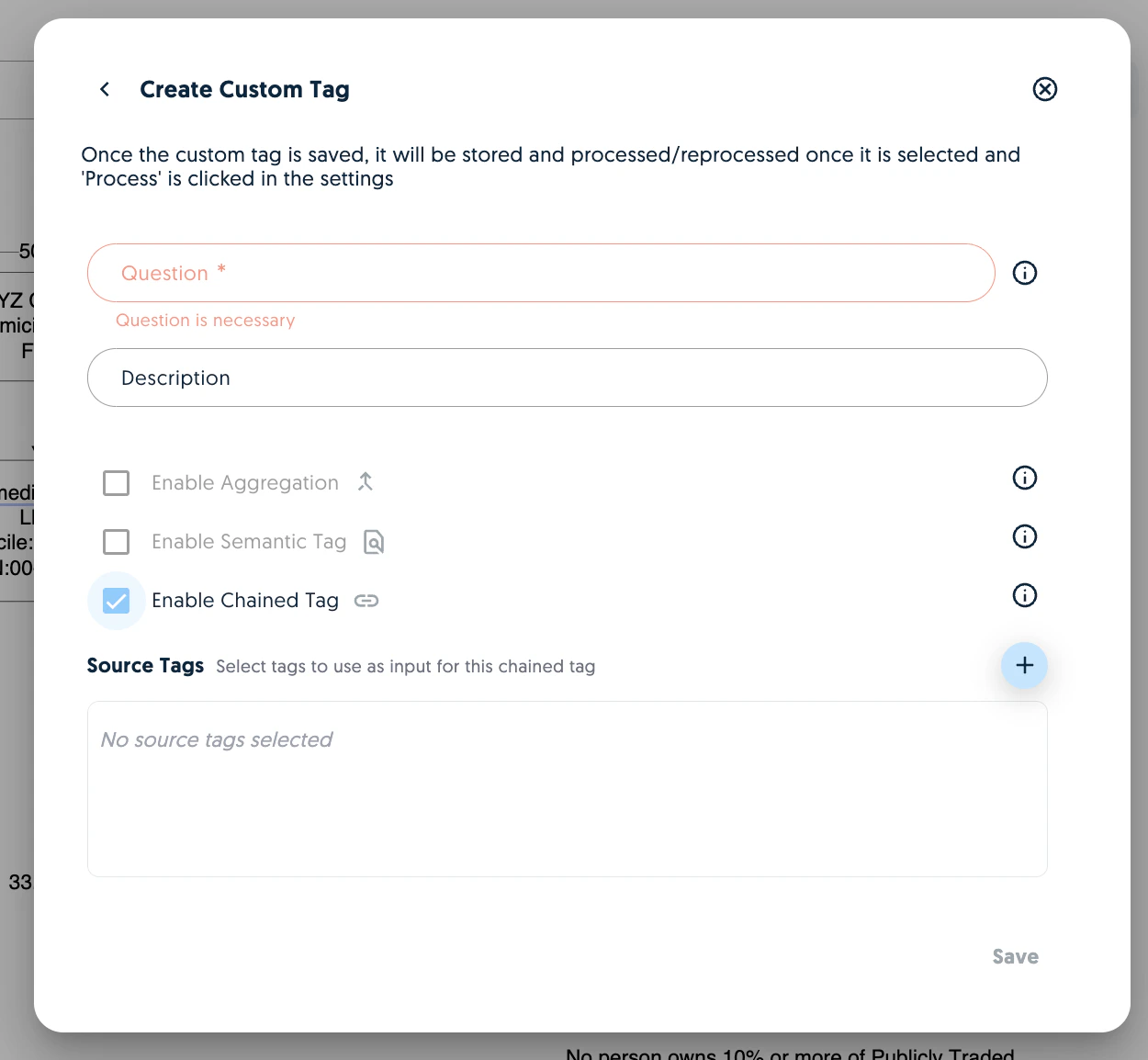 This will open a pop up with tags you can use as source tags to your question.
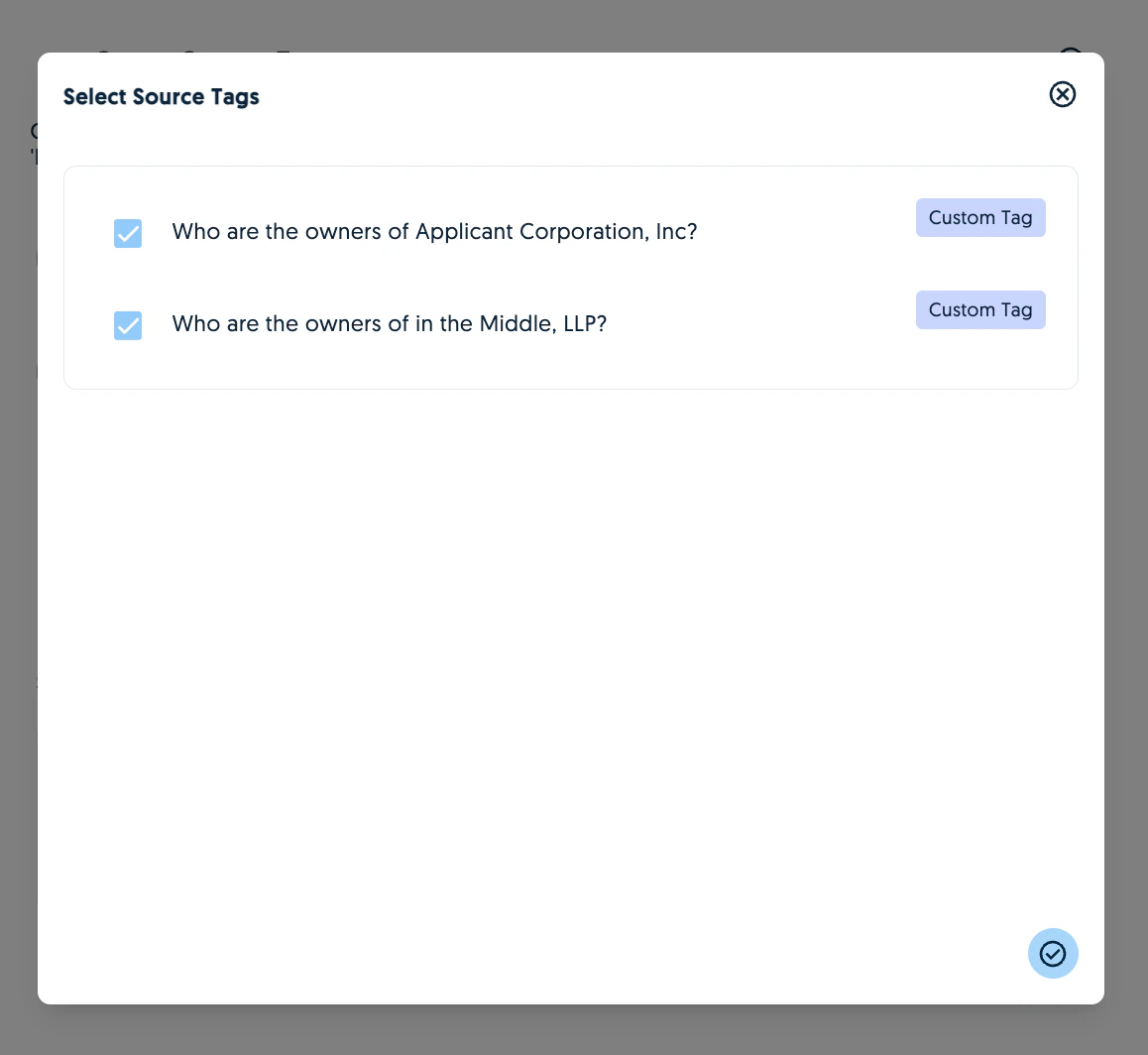 Once you've selected the source tags, create your question.
 Once you run the chained tag, the answer will display with a chain icon.
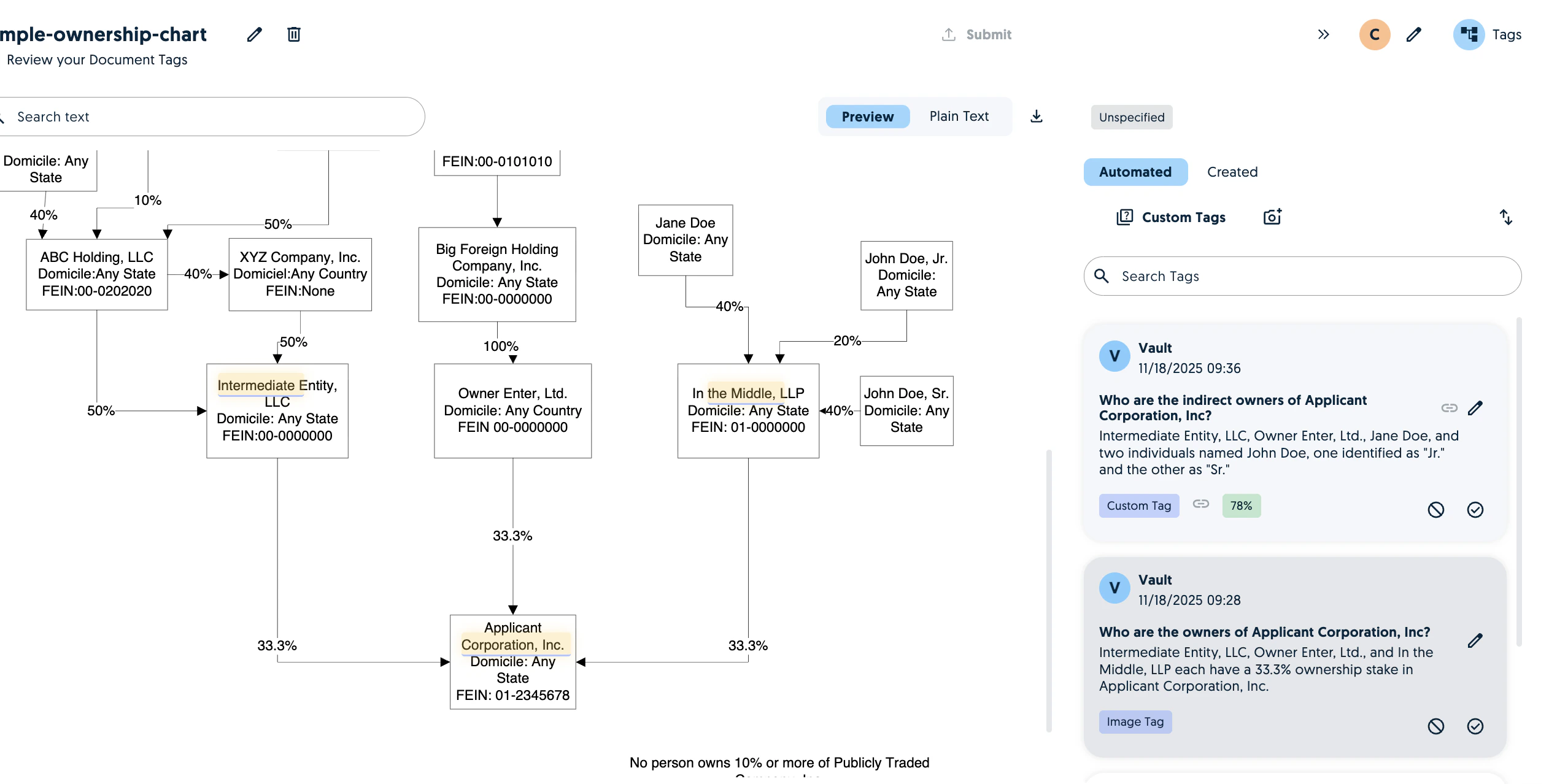 You can run chained tags on any type of tag including previously run chained tags.
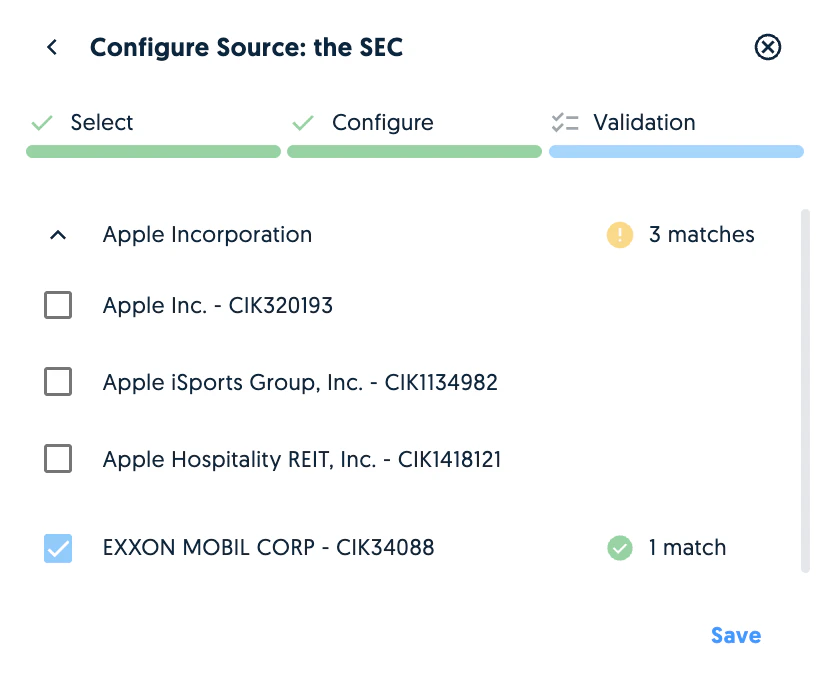
## Company search improvements
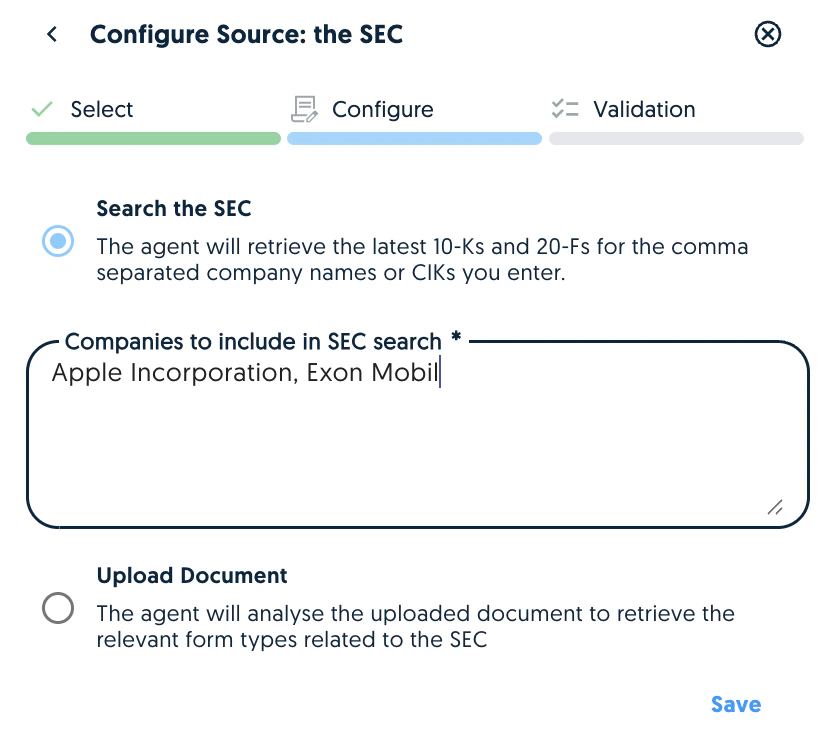
We now apply fuzzy logic to company name searches to overcome typos, punctuation or abbreviations.
You can run chained tags on any type of tag including previously run chained tags.
## Company search improvements
We now apply fuzzy logic to company name searches to overcome typos, punctuation or abbreviations.
 ## Timezones
The times in the app are now displayed based on the user's browser. However, times in PDF exports are still based on the server's timezone.
## General Actions
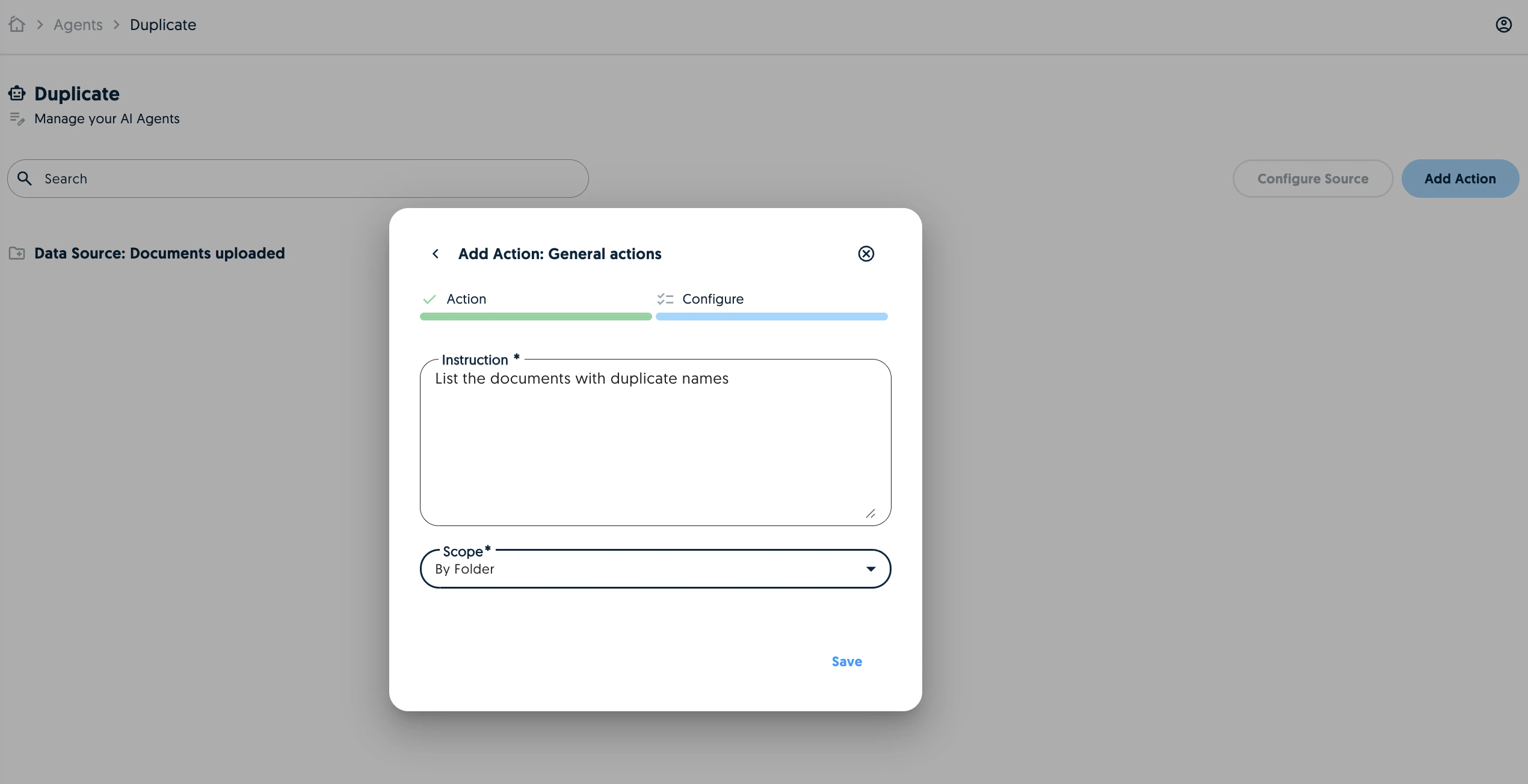
General agent actions can now be applied to folders. This allows the agent to answer questions looking at the extracted data from all documents in a folder.
## Timezones
The times in the app are now displayed based on the user's browser. However, times in PDF exports are still based on the server's timezone.
## General Actions
General agent actions can now be applied to folders. This allows the agent to answer questions looking at the extracted data from all documents in a folder.