> ## Documentation Index
> Fetch the complete documentation index at: https://docs.textmine.com/llms.txt
> Use this file to discover all available pages before exploring further.

# 28 January 2026

> Reports

<Note>
  This page was imported from Intercom and may describe older navigation or terminology. Source: [https://help.textmine.com/en/articles/13545432-28-january-2026](https://help.textmine.com/en/articles/13545432-28-january-2026)
</Note>

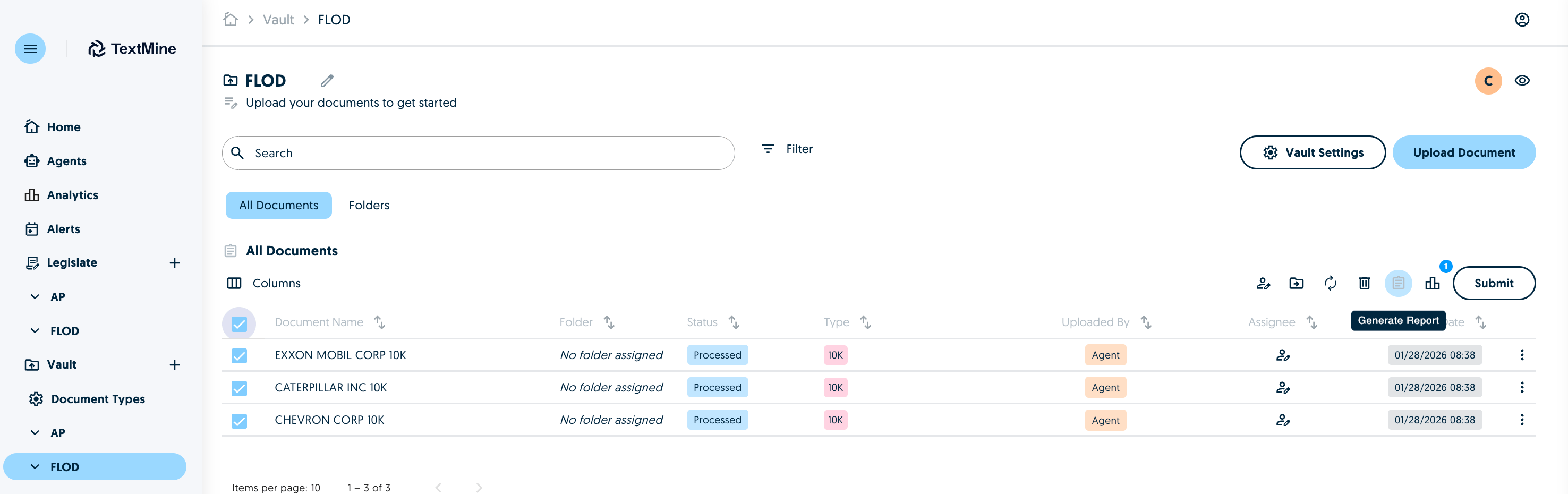
You can now create PDF or Word reports using data extracted from Vault.

Select the documents which should be included in the report in Vault directly and click on the Generate Report.
<img src="https://mintcdn.com/textmine/Wb04UT80sqhf9k3p/images/intercom/product-updates/28-january-2026/01-screenshot-2026-01-28-at-09-07-49.png?fit=max&auto=format&n=Wb04UT80sqhf9k3p&q=85&s=2f74a0866bb34f5fcbbf13d7bfdba172" alt="Screenshot" width="2952" height="930" data-path="images/intercom/product-updates/28-january-2026/01-screenshot-2026-01-28-at-09-07-49.png" />

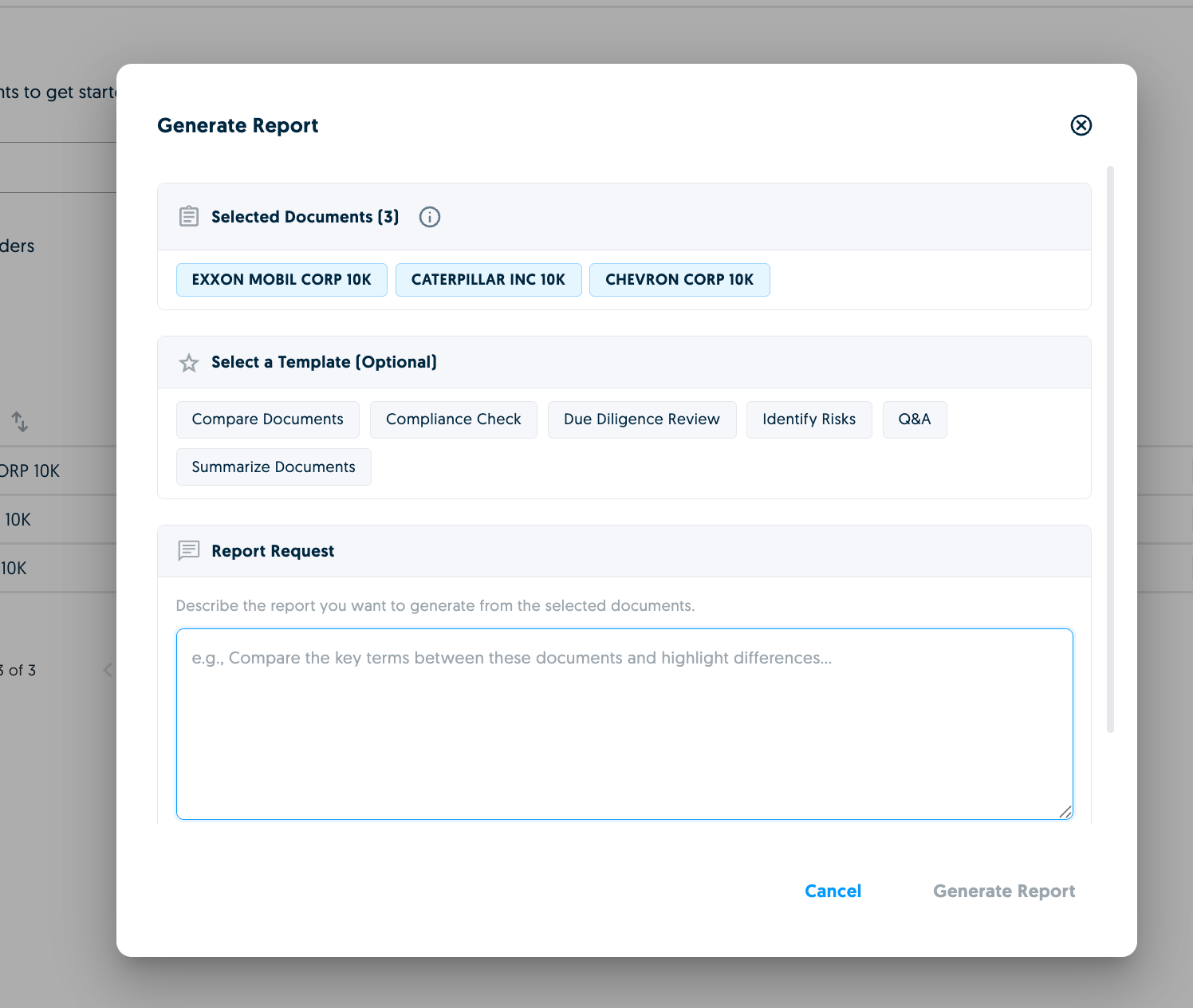
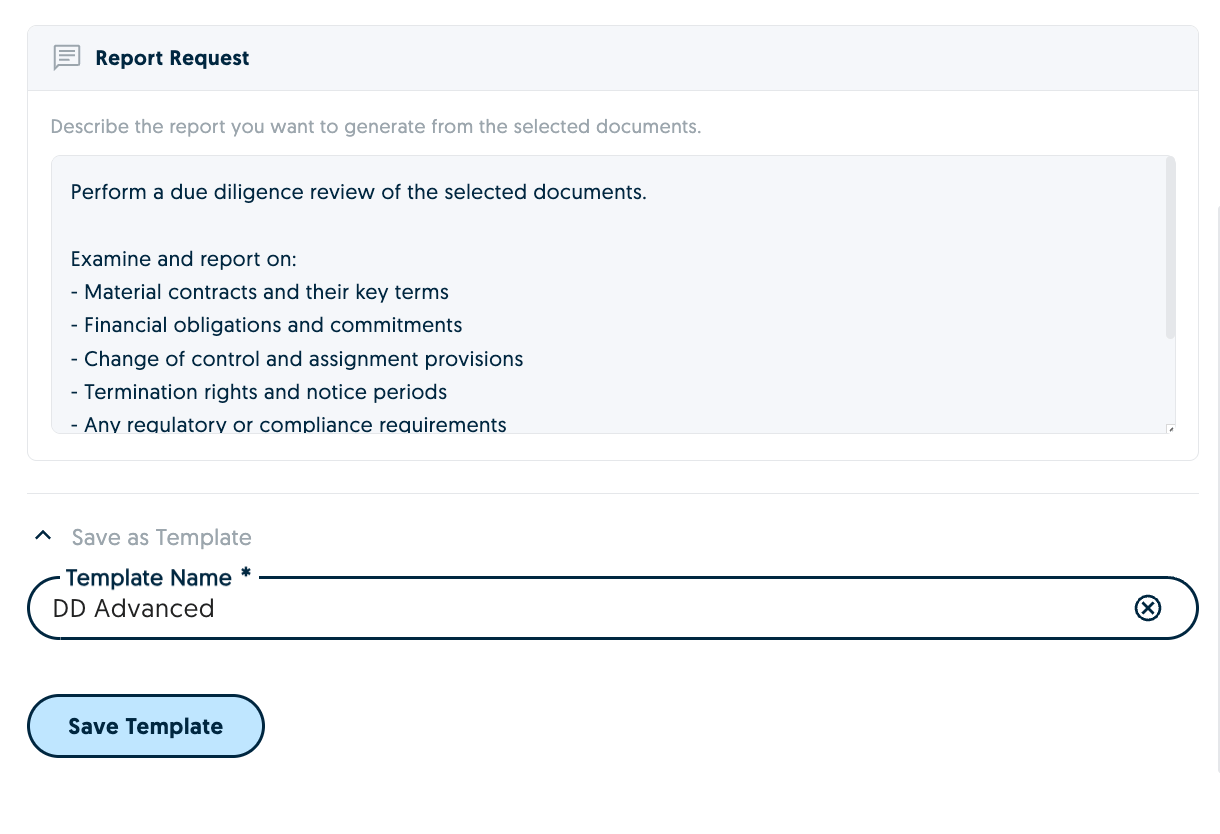
You'll then be able to create your report request. You can either use an existing template or create a new request from scratch.
<img src="https://mintcdn.com/textmine/Wb04UT80sqhf9k3p/images/intercom/product-updates/28-january-2026/02-screenshot-2026-01-28-at-08-41-31.png?fit=max&auto=format&n=Wb04UT80sqhf9k3p&q=85&s=061252e95f5a349714b580c33e38be59" alt="Screenshot" width="1496" height="1264" data-path="images/intercom/product-updates/28-january-2026/02-screenshot-2026-01-28-at-08-41-31.png" />

<img src="https://mintcdn.com/textmine/Wb04UT80sqhf9k3p/images/intercom/product-updates/28-january-2026/03-screenshot-2026-01-28-at-08-43-17.png?fit=max&auto=format&n=Wb04UT80sqhf9k3p&q=85&s=b91f10bea24dc0e116c90746025b2f07" alt="Screenshot" width="1220" height="834" data-path="images/intercom/product-updates/28-january-2026/03-screenshot-2026-01-28-at-08-43-17.png" />

You can also save your report request as a template for future reports. Click on Generate Report and the report will start processing.

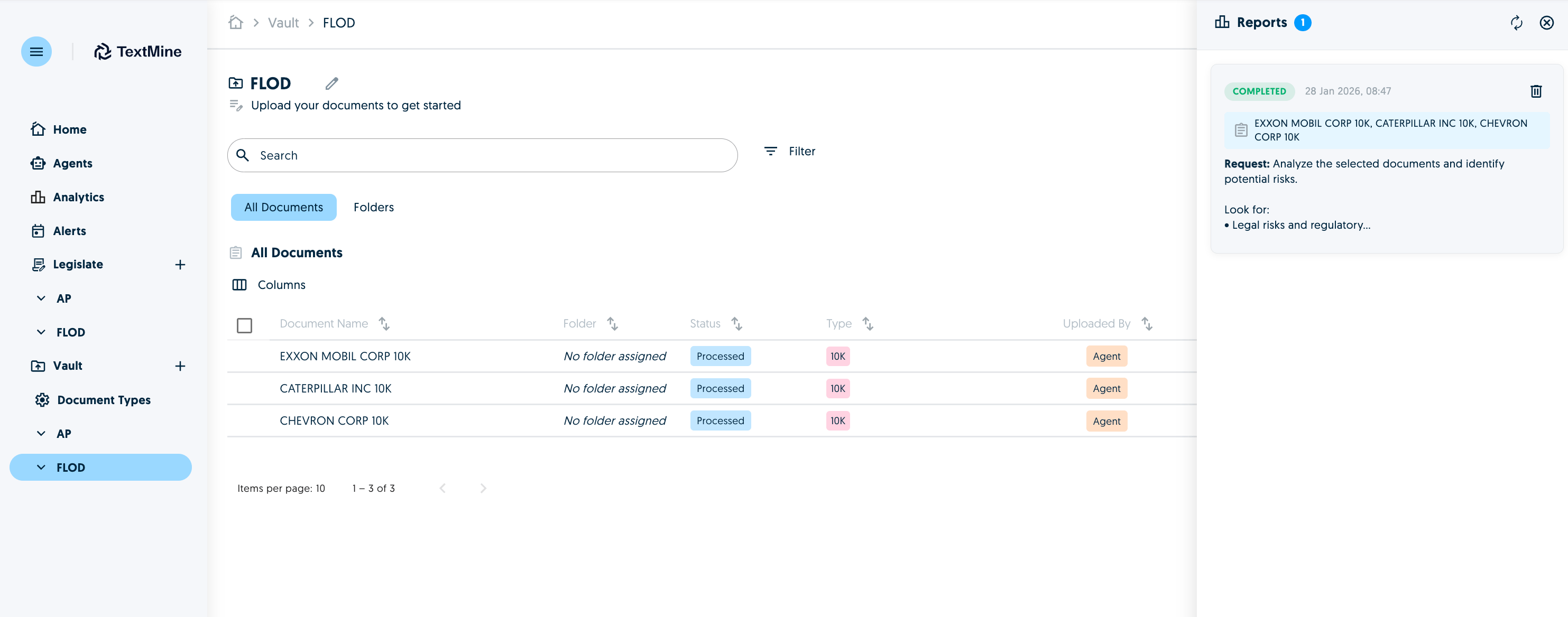
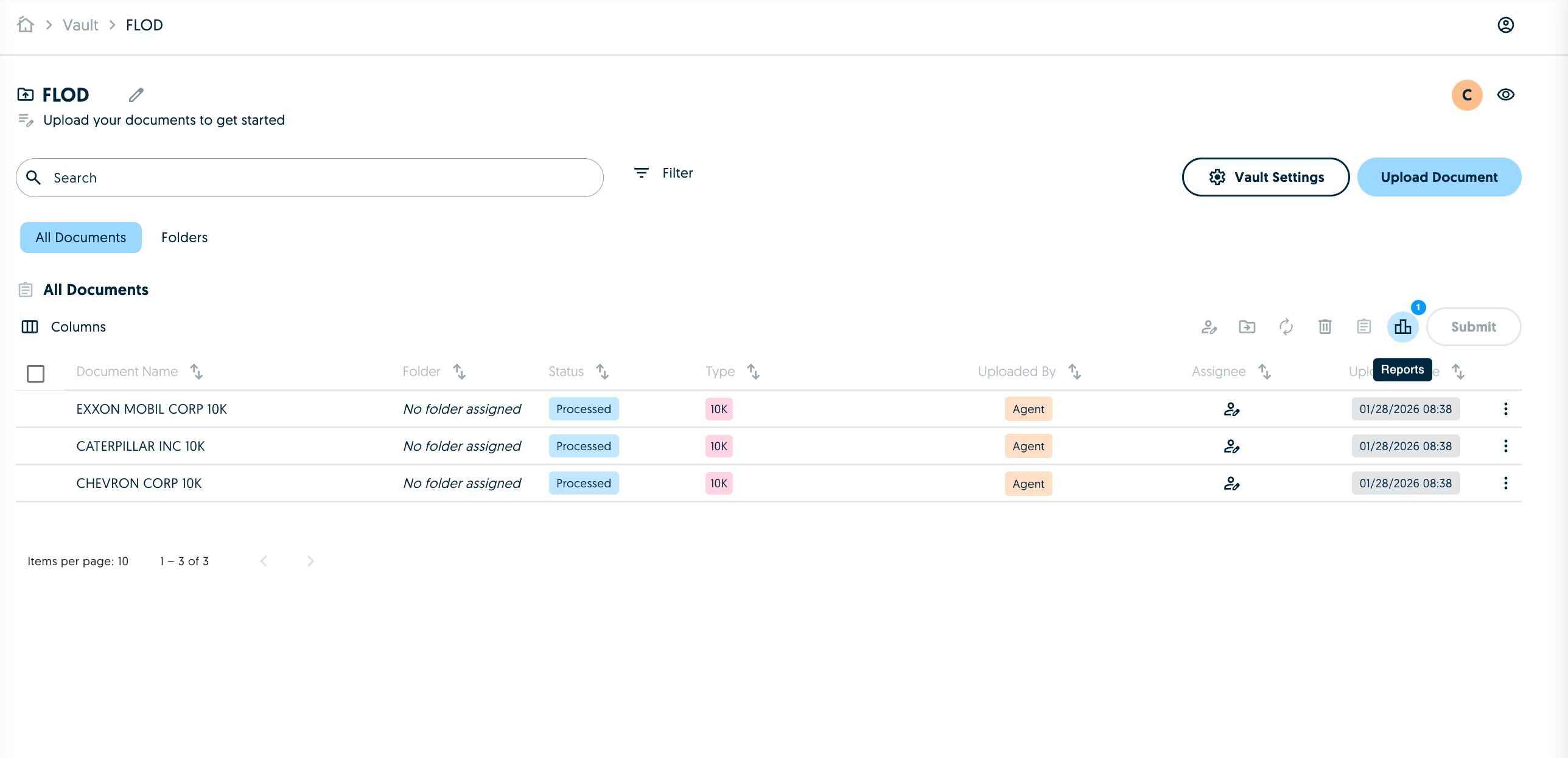
You can access reports from the reports icon in Vault.
<img src="https://mintcdn.com/textmine/Wb04UT80sqhf9k3p/images/intercom/product-updates/28-january-2026/04-screenshot-2026-01-28-at-08-59-35.png?fit=max&auto=format&n=Wb04UT80sqhf9k3p&q=85&s=8e58440ced91ad763f9693f9261761fe" alt="Screenshot" width="2576" height="1246" data-path="images/intercom/product-updates/28-january-2026/04-screenshot-2026-01-28-at-08-59-35.png" />

<img src="https://mintcdn.com/textmine/Wb04UT80sqhf9k3p/images/intercom/product-updates/28-january-2026/05-screenshot-2026-01-28-at-08-59-37.png?fit=max&auto=format&n=Wb04UT80sqhf9k3p&q=85&s=4caf02f84c737a98dfa7176cab0efb16" alt="Screenshot" width="2966" height="1168" data-path="images/intercom/product-updates/28-january-2026/05-screenshot-2026-01-28-at-08-59-37.png" />

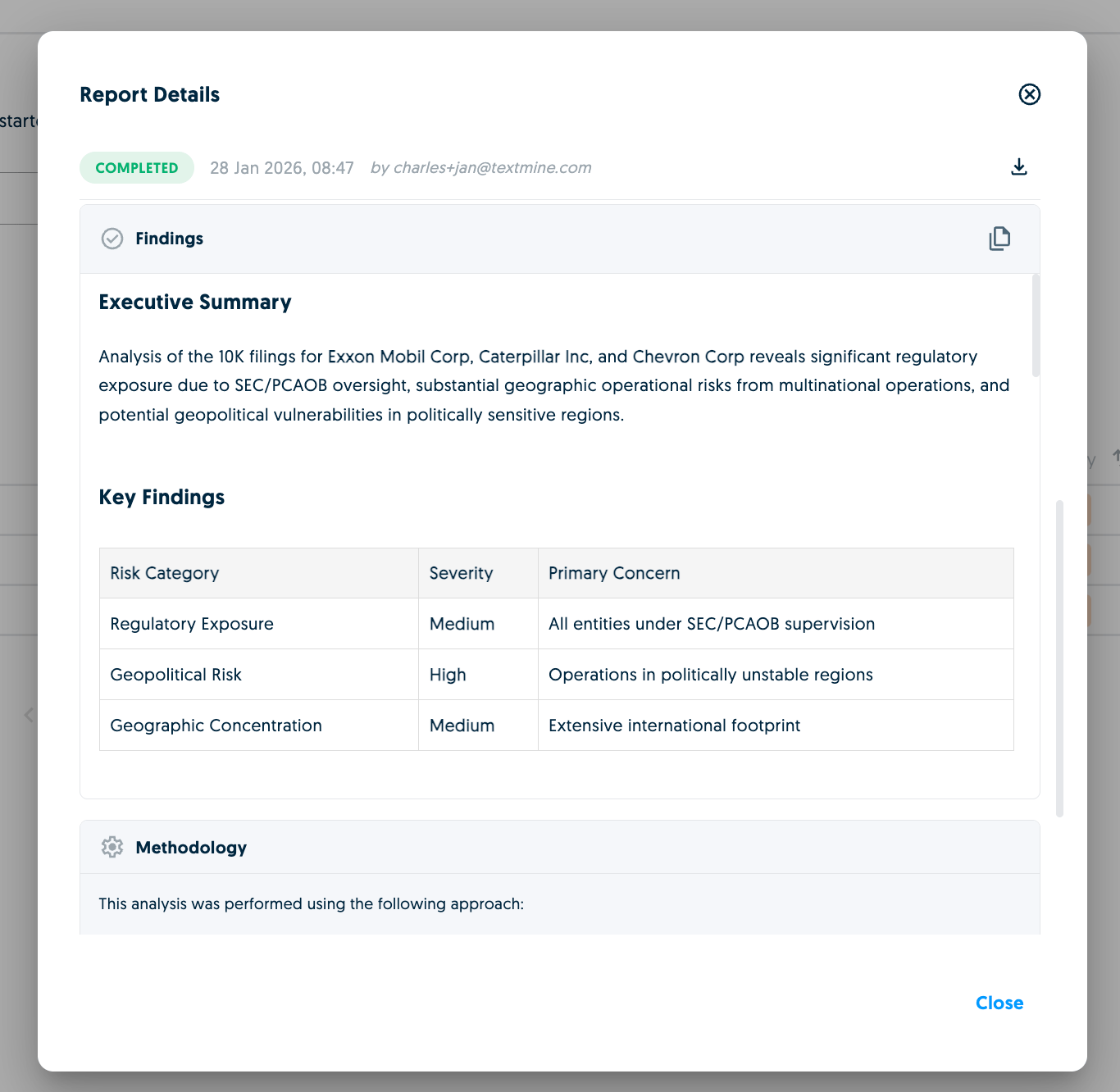
Click on a report to see the results in more detail.
<img src="https://mintcdn.com/textmine/Wb04UT80sqhf9k3p/images/intercom/product-updates/28-january-2026/06-screenshot-2026-01-28-at-08-48-11.png?fit=max&auto=format&n=Wb04UT80sqhf9k3p&q=85&s=8183fdb7d0db8caa61ff1c4114564483" alt="Screenshot" width="1366" height="1332" data-path="images/intercom/product-updates/28-january-2026/06-screenshot-2026-01-28-at-08-48-11.png" />

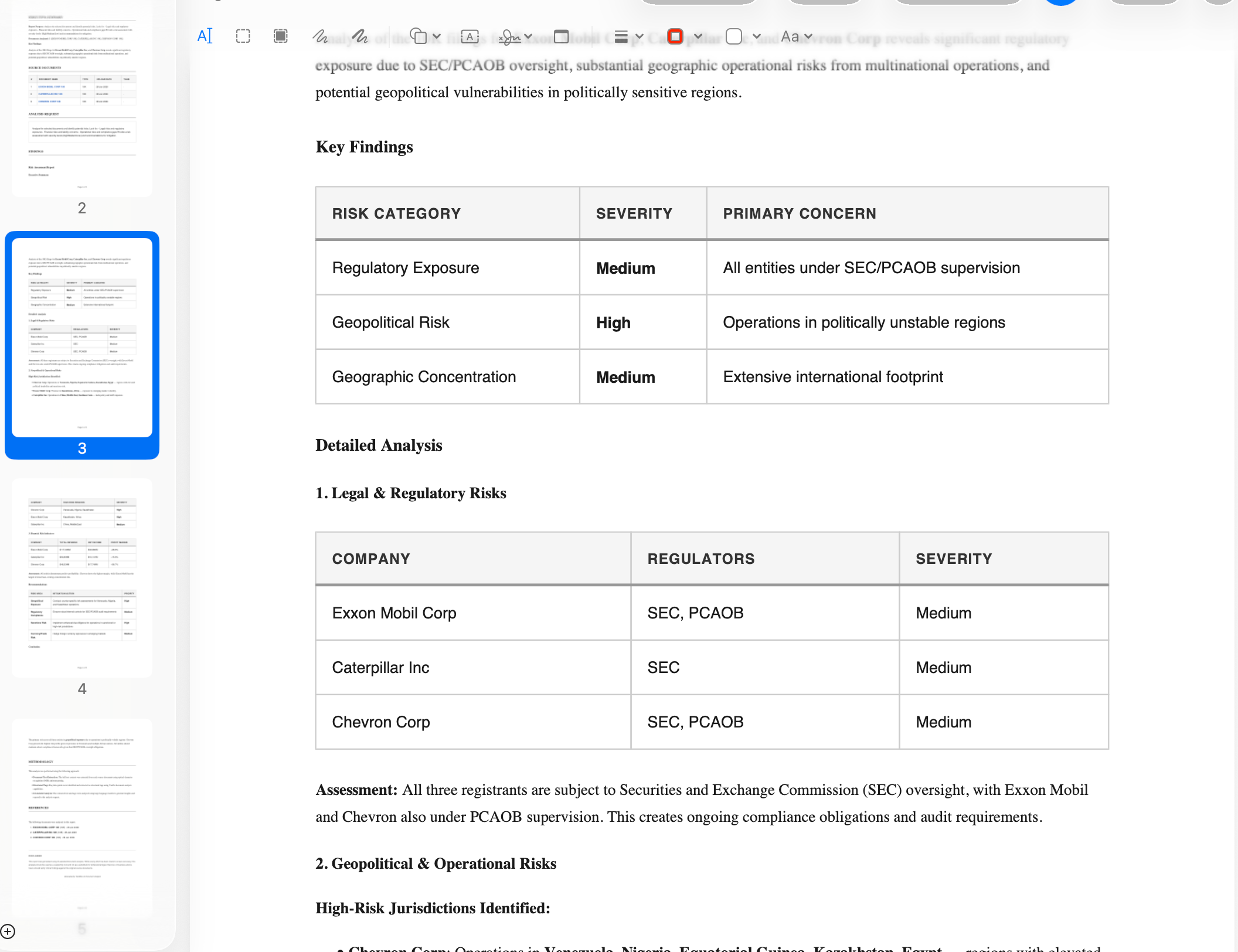
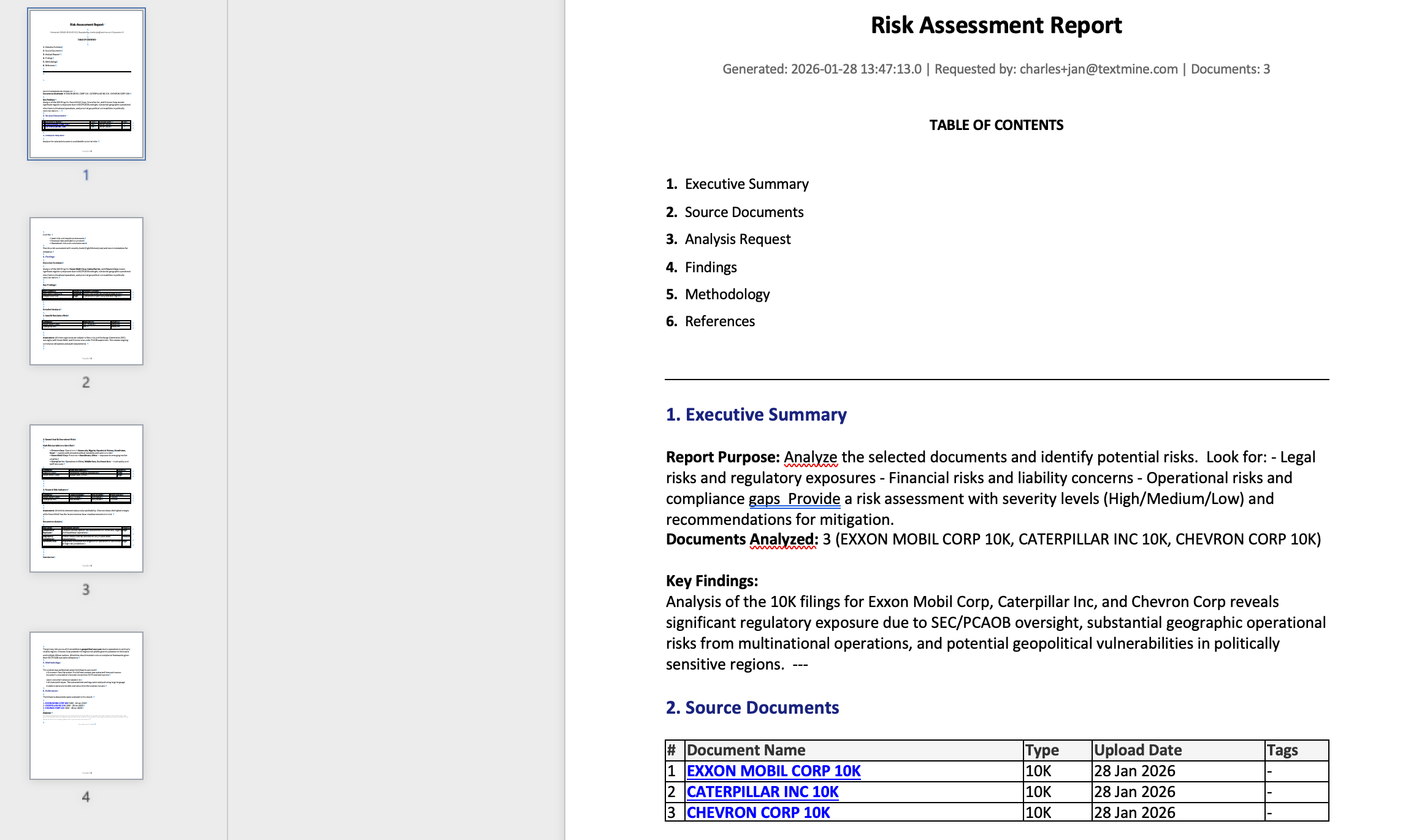
Findings can be copied or you can download versions of the report in Word or PDF.
<img src="https://mintcdn.com/textmine/Wb04UT80sqhf9k3p/images/intercom/product-updates/28-january-2026/07-screenshot-2026-01-28-at-08-50-20.png?fit=max&auto=format&n=Wb04UT80sqhf9k3p&q=85&s=1238ec82f76869ba7d08932231357c11" alt="Screenshot" width="2314" height="1370" data-path="images/intercom/product-updates/28-january-2026/07-screenshot-2026-01-28-at-08-50-20.png" />

<img src="https://mintcdn.com/textmine/Wb04UT80sqhf9k3p/images/intercom/product-updates/28-january-2026/08-screenshot-2026-01-28-at-08-51-39.png?fit=max&auto=format&n=Wb04UT80sqhf9k3p&q=85&s=1b82928bb63f60b1fb2a61b5e42412cb" alt="Screenshot" width="2112" height="1624" data-path="images/intercom/product-updates/28-january-2026/08-screenshot-2026-01-28-at-08-51-39.png" />