> ## Documentation Index
> Fetch the complete documentation index at: https://docs.textmine.com/llms.txt
> Use this file to discover all available pages before exploring further.
# 30 January 2025
> Order Vault tags, customisation and reprocessing
This page was imported from Intercom and may describe older navigation or terminology. Source: [https://help.textmine.com/en/articles/10492265-30-january-2025](https://help.textmine.com/en/articles/10492265-30-january-2025)
TextMine has released the following new functionality:
*
Order Vault tags
*
Customise the extraction pipeline
*
Reprocess documents
## Vault tag ordering
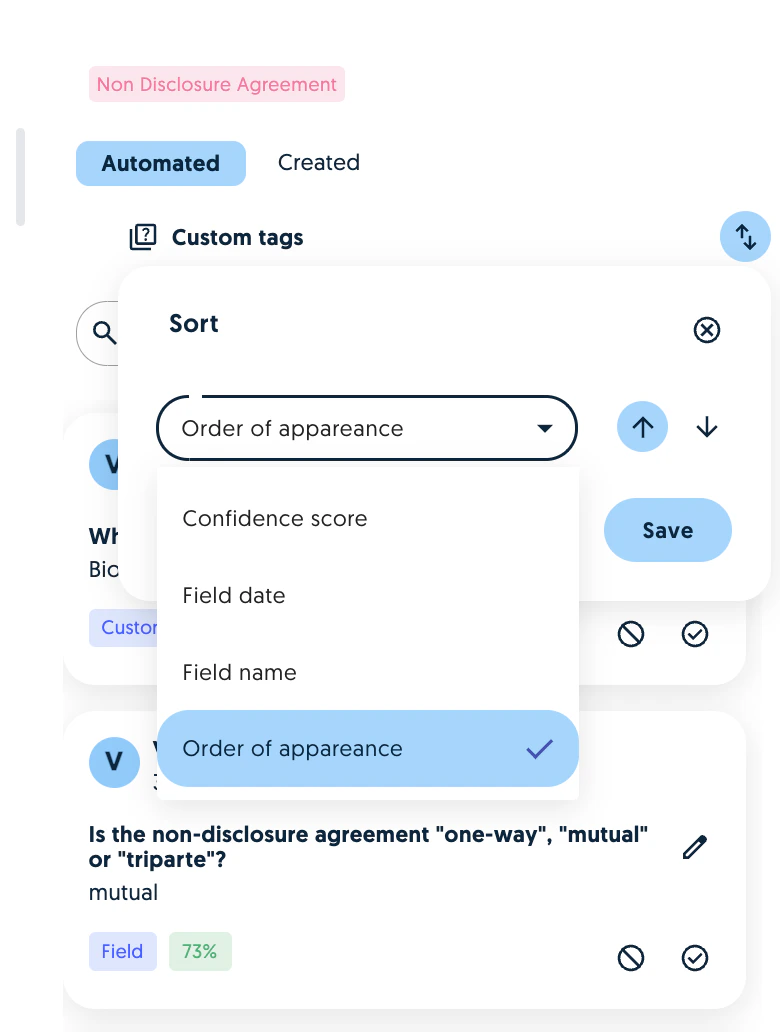
When reviewing tags, it is now possible to sort them by date, name and confidence score:
 ## Extraction customisation
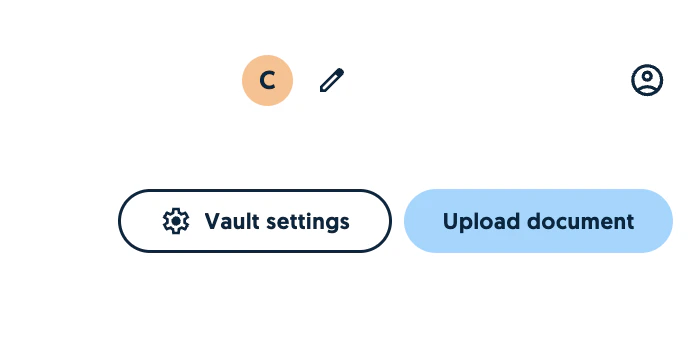
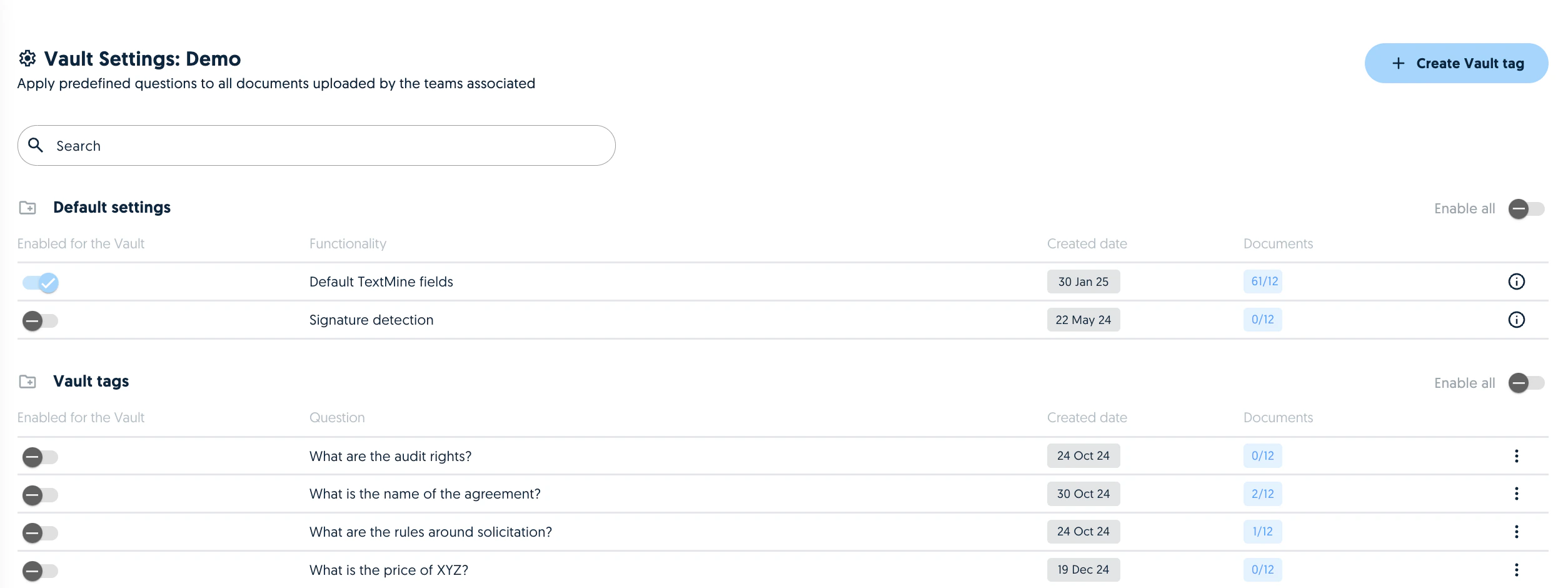
When using Vault, you can now select which parts of the pipeline will be used as part of the extraction. For example, you can enable or disable:
*
TextMine default fields
*
Signature detection
*
Vault tags
## Extraction customisation
When using Vault, you can now select which parts of the pipeline will be used as part of the extraction. For example, you can enable or disable:
*
TextMine default fields
*
Signature detection
*
Vault tags
 Please note that the signature detection can slow down the analysis.
## Reprocess documents
Documents can be re-analysed by Vault by selecting the document and clicking on the reprocess icon.
Please note that the signature detection can slow down the analysis.
## Reprocess documents
Documents can be re-analysed by Vault by selecting the document and clicking on the reprocess icon.
 Reprocessing a document will apply the settings of the Vault. For example, if signature detection was disabled in the first analysis, it will be applied in the reprocessing if it is enabled in the team.
Warning: reprocessing a document will override the fields which have previously been generated and reviewed.
Reprocessing a document will apply the settings of the Vault. For example, if signature detection was disabled in the first analysis, it will be applied in the reprocessing if it is enabled in the team.
Warning: reprocessing a document will override the fields which have previously been generated and reviewed.