> ## Documentation Index
> Fetch the complete documentation index at: https://docs.textmine.com/llms.txt
> Use this file to discover all available pages before exploring further.
# 6 November 2025
> Cover pages, Semantic Tags, General Actions
This page was imported from Intercom and may describe older navigation or terminology. Source: [https://help.textmine.com/en/articles/12770752-6-november-2025](https://help.textmine.com/en/articles/12770752-6-november-2025)
## Cover pages
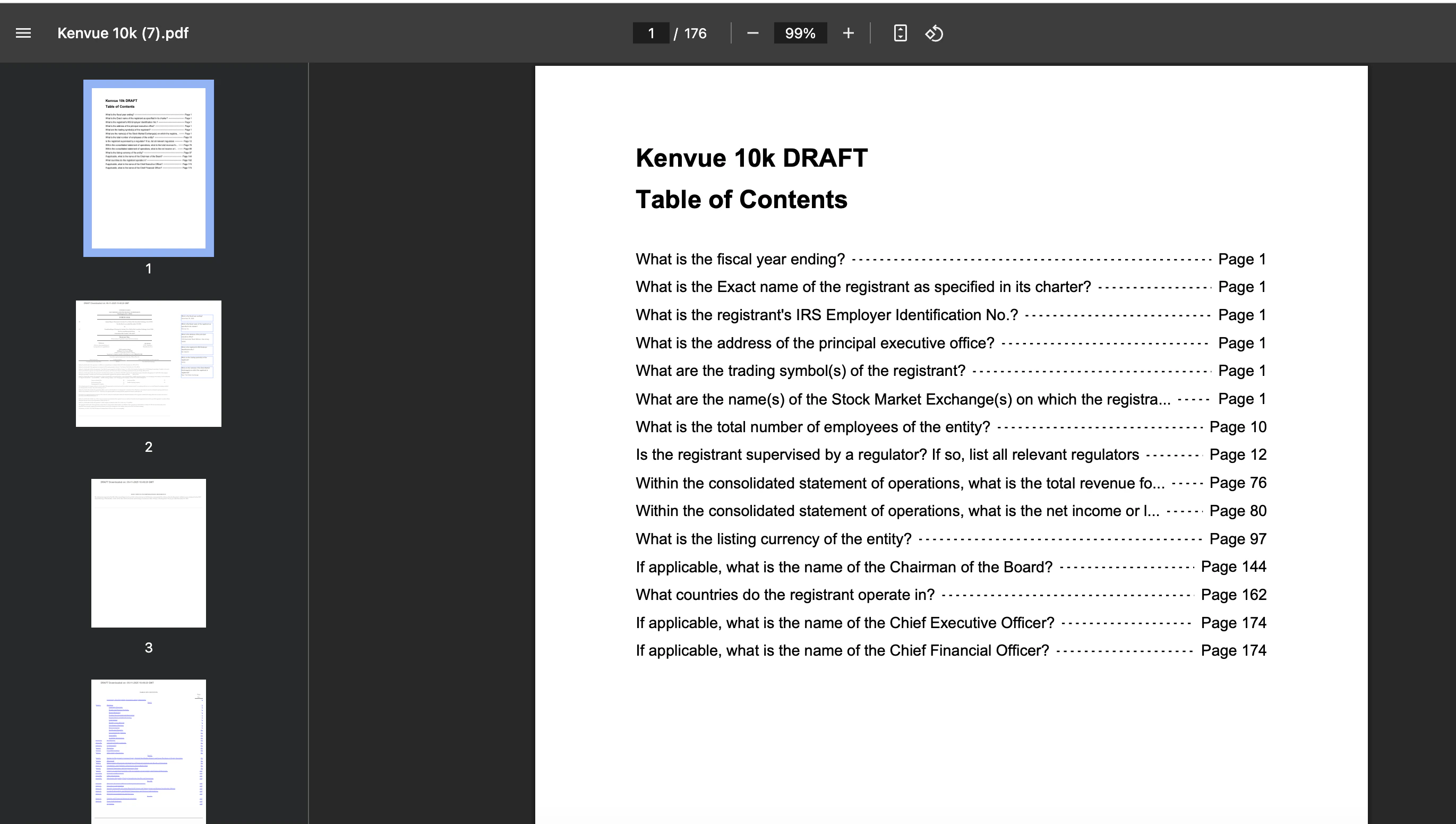
TextMine now includes a cover page with a table of contents listing the questions and corresponding pages they feature on. This table of contents is hyperlinked meaning that if you click on a question it will take you to the corresponding page. The DRAFT label is shown because it was downloaded from Vault. It is removed on downloads from Legislate.
 ## Semantic Tags
When Vault is looking to extract data from a document, the standard approach is to evaluate answers from multiple sections and then pick the best option. We recently introduced an aggregation tag which would produce an answer using all the answers.
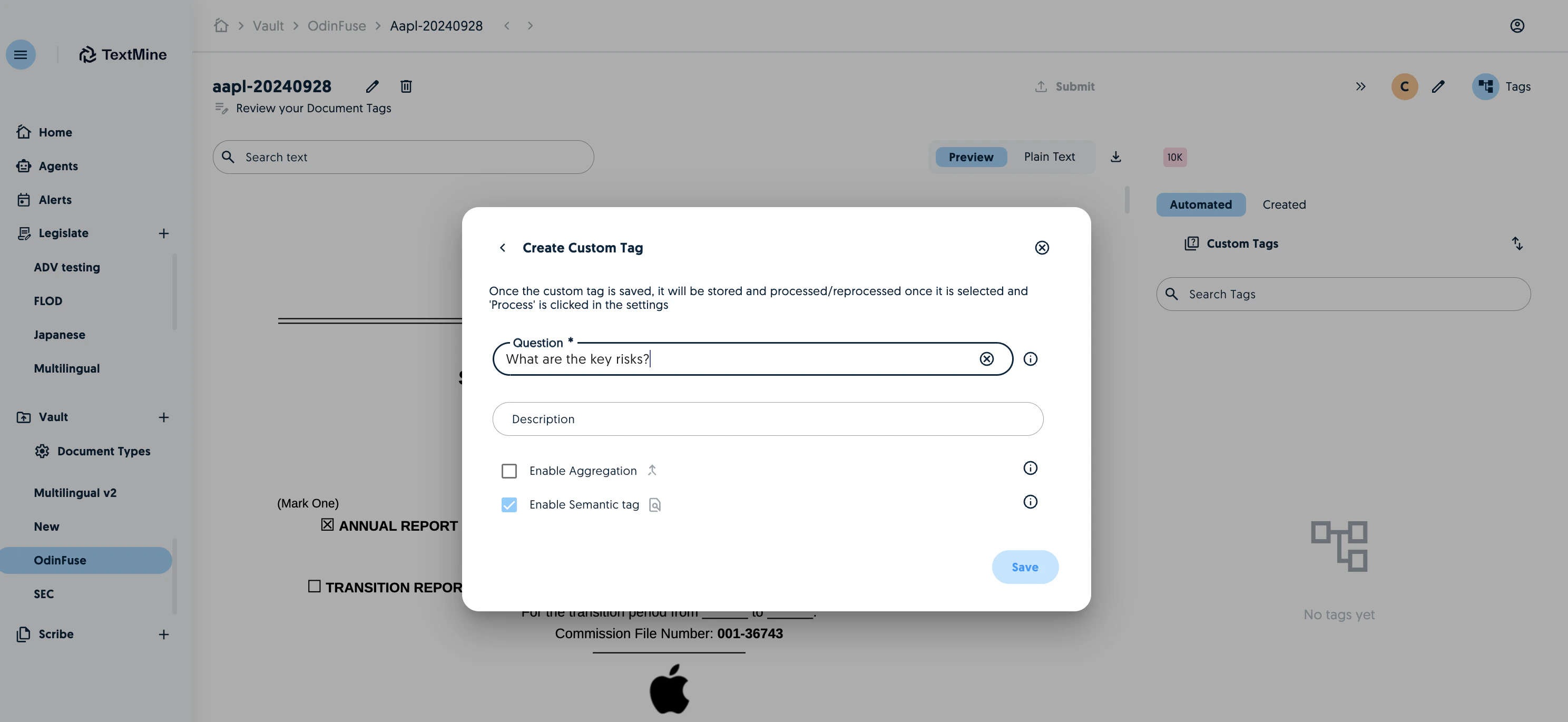
We now offer semantic tags which present answers from all the sections. To create a semantic tag, enable the semantic tag option and process the tag.
## Semantic Tags
When Vault is looking to extract data from a document, the standard approach is to evaluate answers from multiple sections and then pick the best option. We recently introduced an aggregation tag which would produce an answer using all the answers.
We now offer semantic tags which present answers from all the sections. To create a semantic tag, enable the semantic tag option and process the tag.
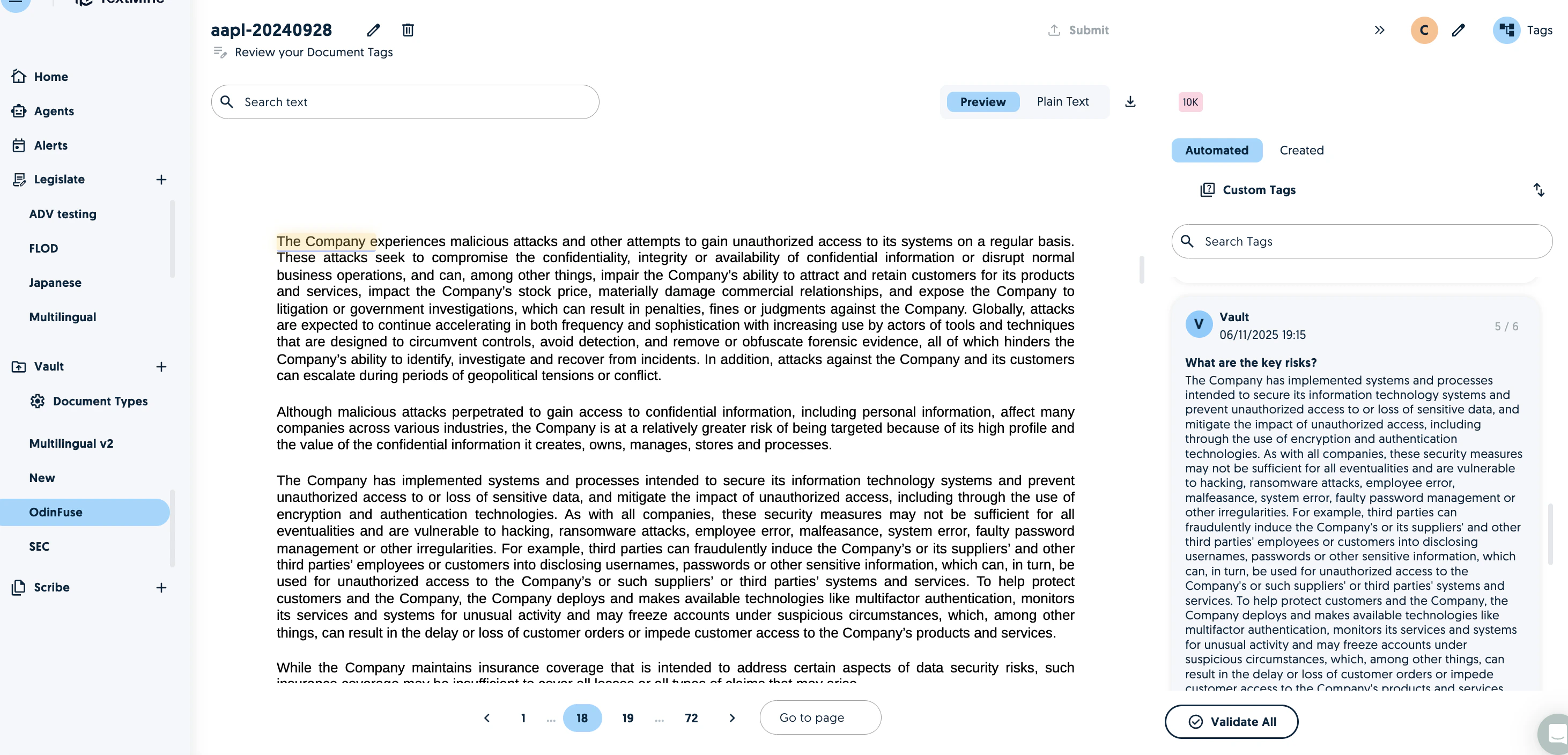
 You will then see the semantic tags appear on the right with a count of how many were found in the document.
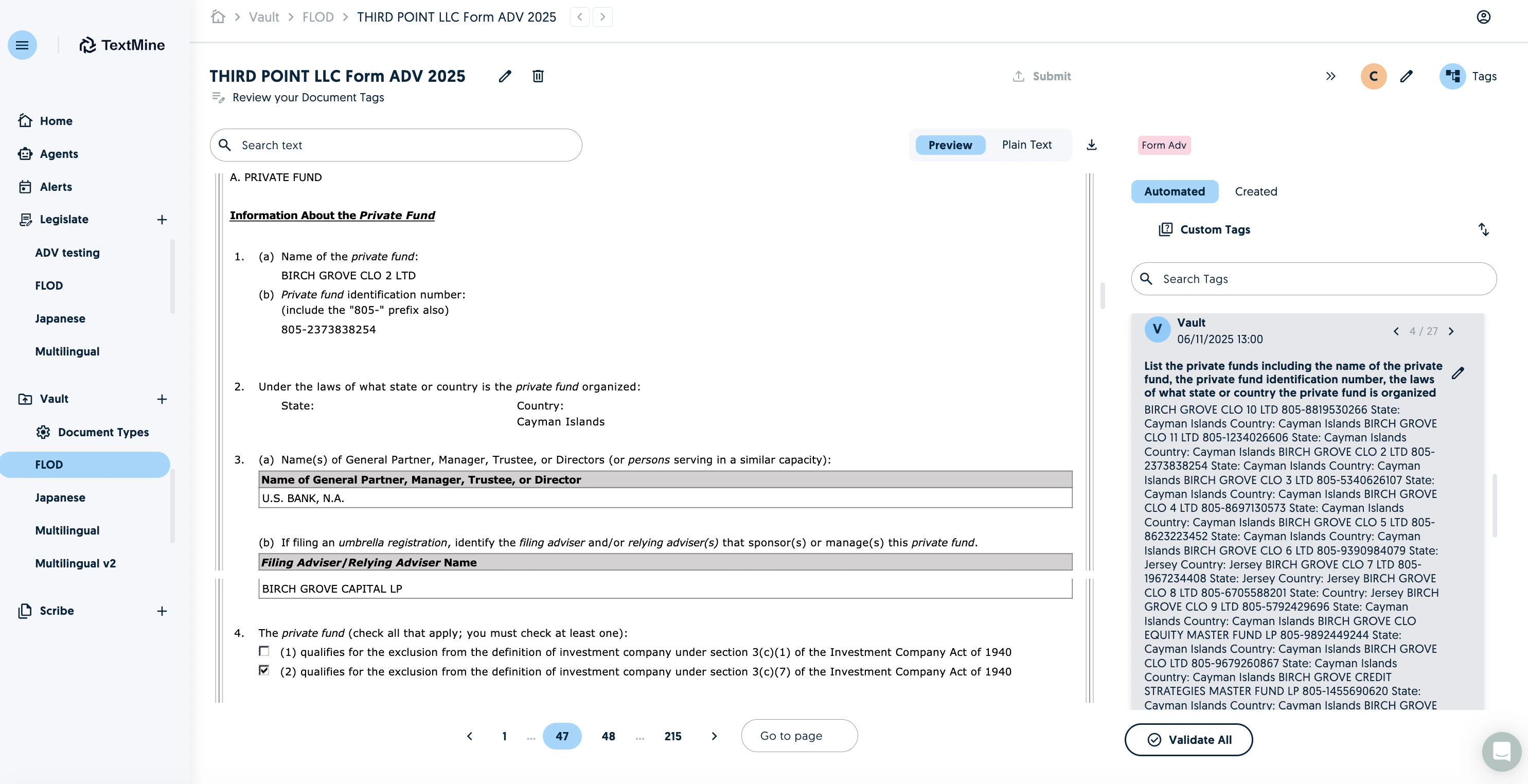
 Normal Tags now also offer a navigator to review the sections the model considered to help with the review of tags and alternative.
 ## General Actions
It is now possible to instruct TextMine agents to interpret and act on data which has been extracted by Vault.
## General Actions
It is now possible to instruct TextMine agents to interpret and act on data which has been extracted by Vault.
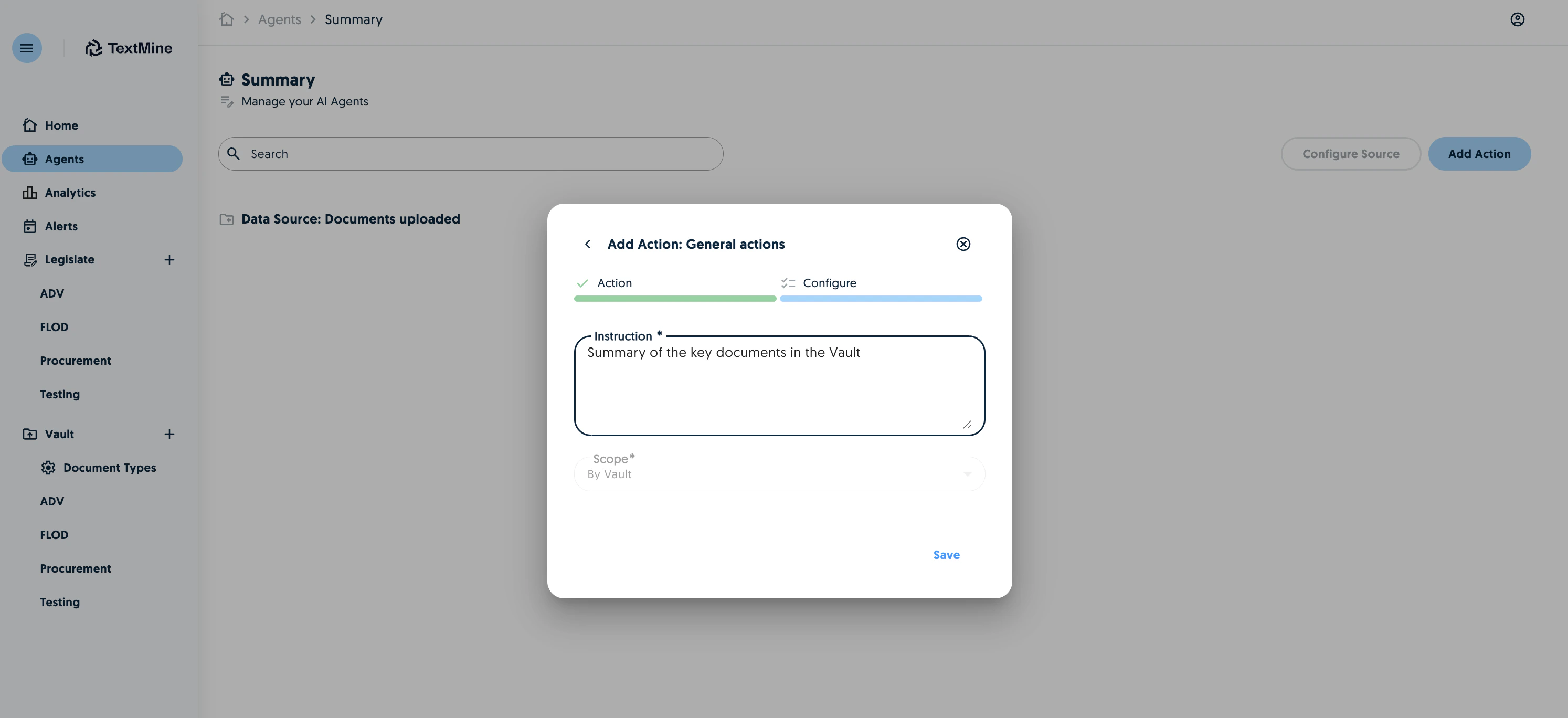 You'll then see a summary of the findings in the results page.
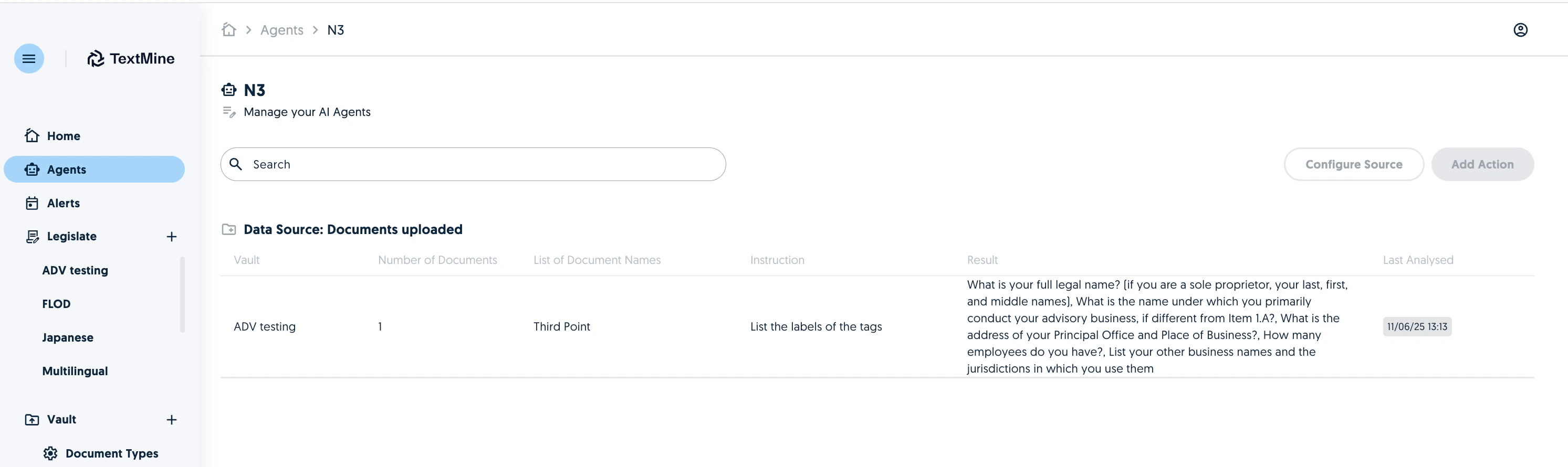 The general actions currently look at all the documents in a Vault but will be expanded to folders and documents in the coming weeks.