> ## Documentation Index
> Fetch the complete documentation index at: https://docs.textmine.com/llms.txt
> Use this file to discover all available pages before exploring further.
# How to import Word templates into Scribe
> Import your document templates
This page was imported from Intercom and may describe older navigation or terminology. Source: [https://help.textmine.com/en/articles/9210137-how-to-import-word-templates-into-scribe](https://help.textmine.com/en/articles/9210137-how-to-import-word-templates-into-scribe)
Scribe allows you to import Word templates so that you can get started a lot faster. To get started click on create template and specify the new template's folder.
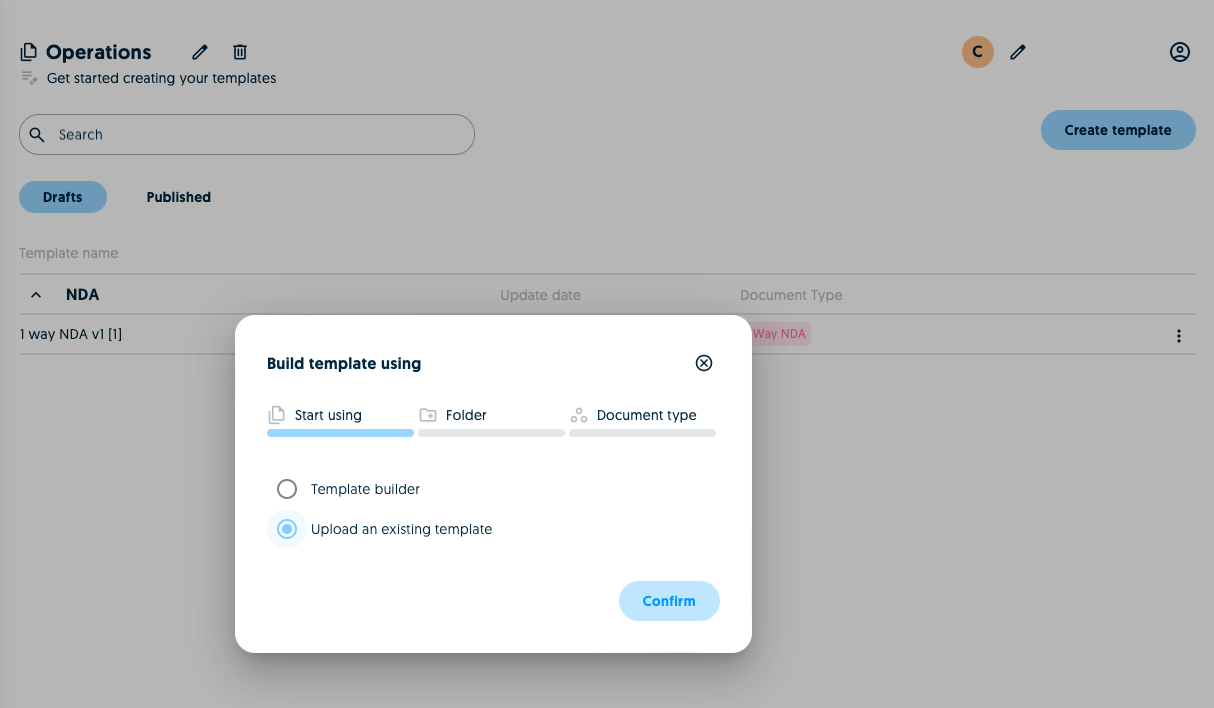 A folder allows you to group templates by type or counter-party. You can select an existing folder or create a new one.
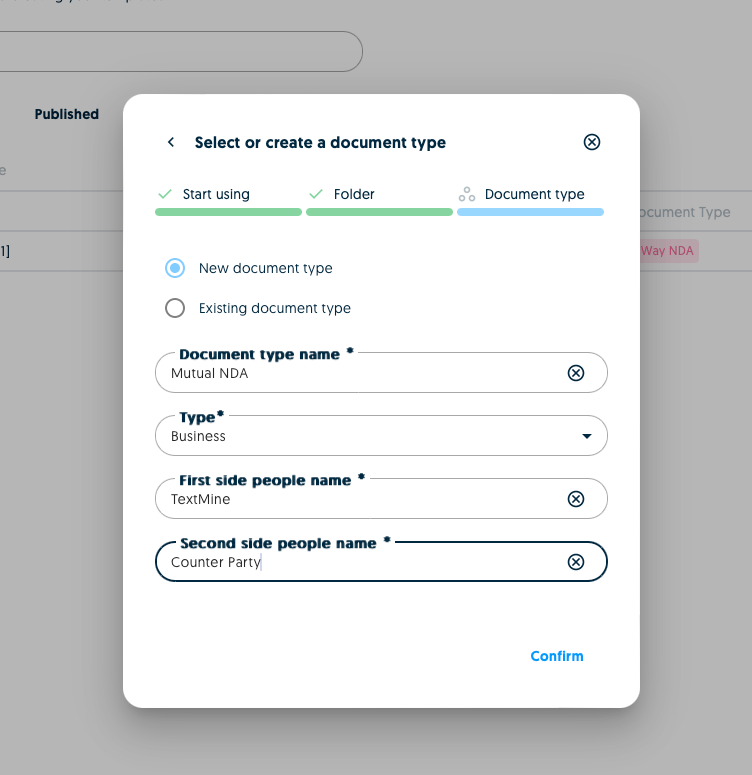
Once you've specified the folder, you can then specify the type of the new template (e.g. NDA). You can select an existing type or create a new one. If you create a new one you'll need to confirm additional details about the template.
A folder allows you to group templates by type or counter-party. You can select an existing folder or create a new one.
Once you've specified the folder, you can then specify the type of the new template (e.g. NDA). You can select an existing type or create a new one. If you create a new one you'll need to confirm additional details about the template.
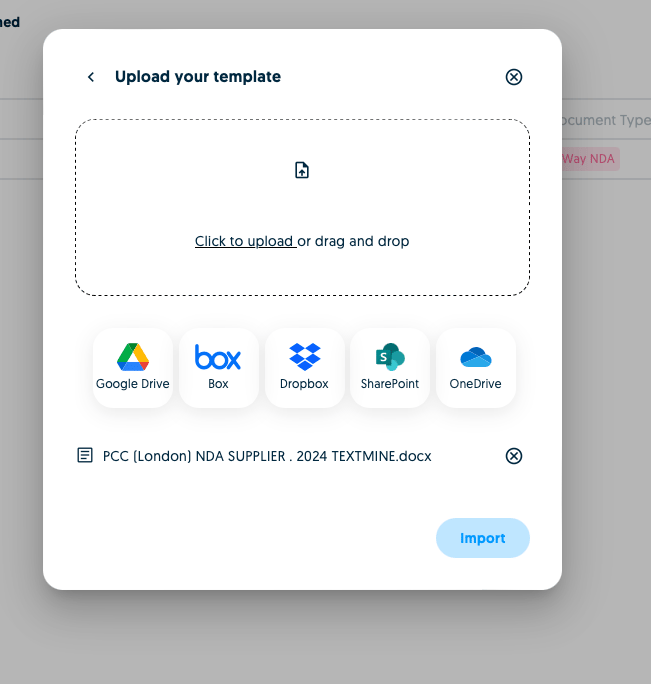
 After this step you can then choose to import a template by dragging and dropping or by connecting to your favourite file storage system.
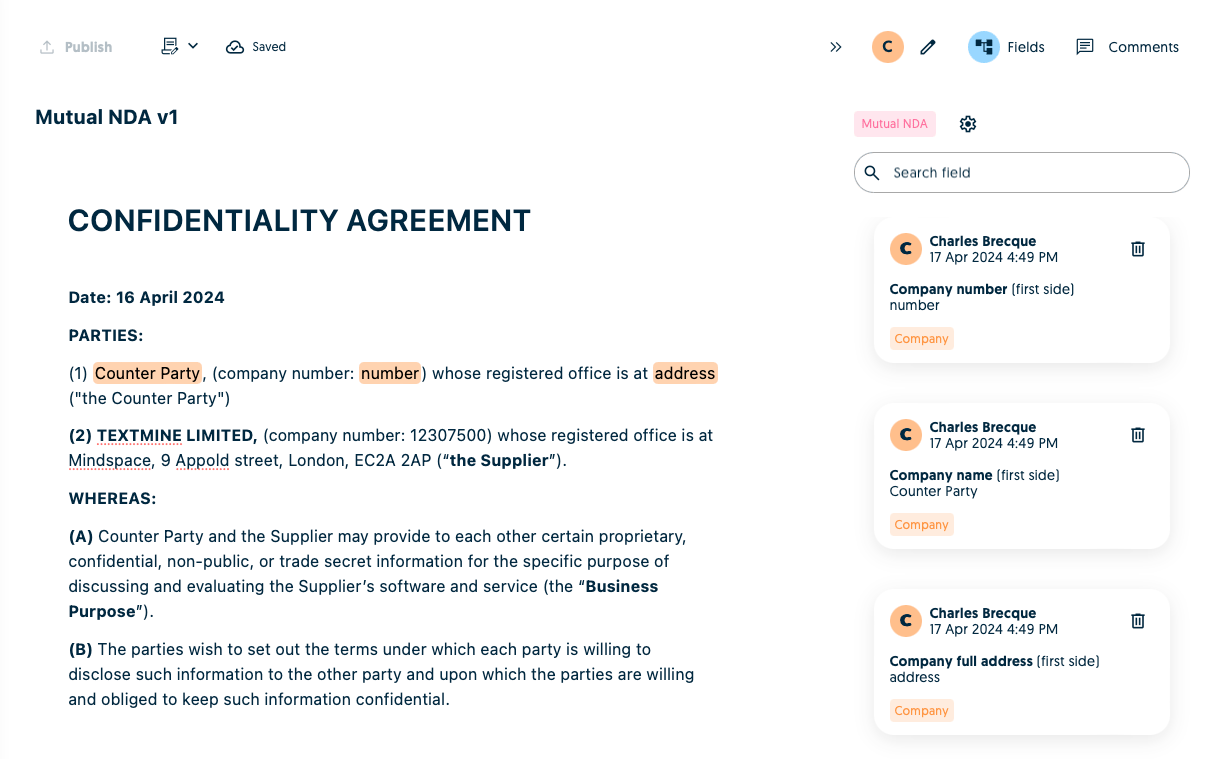
 Once the file has been imported, it will be converted into a Scribe template!