> ## Documentation Index
> Fetch the complete documentation index at: https://docs.textmine.com/llms.txt
> Use this file to discover all available pages before exploring further.
# An introduction to Vault teams
> How to manage your Vault imports
This page was imported from Intercom and may describe older navigation or terminology. Source: [https://help.textmine.com/en/articles/9209265-an-introduction-to-vault-teams](https://help.textmine.com/en/articles/9209265-an-introduction-to-vault-teams)
To get started with Vault, you first need to create a Vault team. You can do this by clicking on the + sign next to the Vault icon in the left-hand sidebar. Upon doing this, a pop up will appear displaying 2 options:
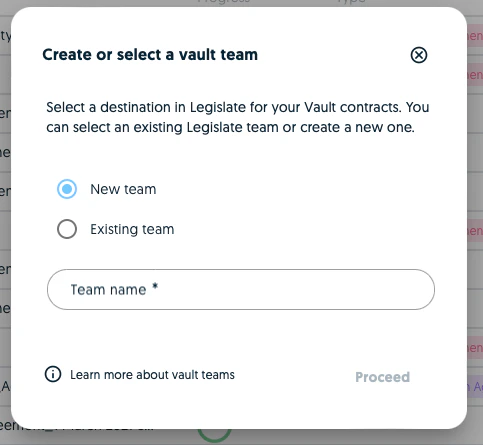 Vault teams are connected to Legislate teams which means that you can either connect a Vault to an existing Legislate team or you can create a new Vault which will be connected to a new Legislate team which will be created at the same time.
## Legislate teams
Vault serves as the import module for extracting data from document imports. You can process documents, make [corrections](https://help.textmine.com/en/articles/9208466-making-corrections-in-vault) and amendments if required and validate the predictions. Once you've validated the data points of the individual documents you can submit them to Legislate.
Vault teams are connected to Legislate teams which means that you can either connect a Vault to an existing Legislate team or you can create a new Vault which will be connected to a new Legislate team which will be created at the same time.
## Legislate teams
Vault serves as the import module for extracting data from document imports. You can process documents, make [corrections](https://help.textmine.com/en/articles/9208466-making-corrections-in-vault) and amendments if required and validate the predictions. Once you've validated the data points of the individual documents you can submit them to Legislate.
 A document submitted in Legislate can the be filtered, analysed and exported as CSVs.
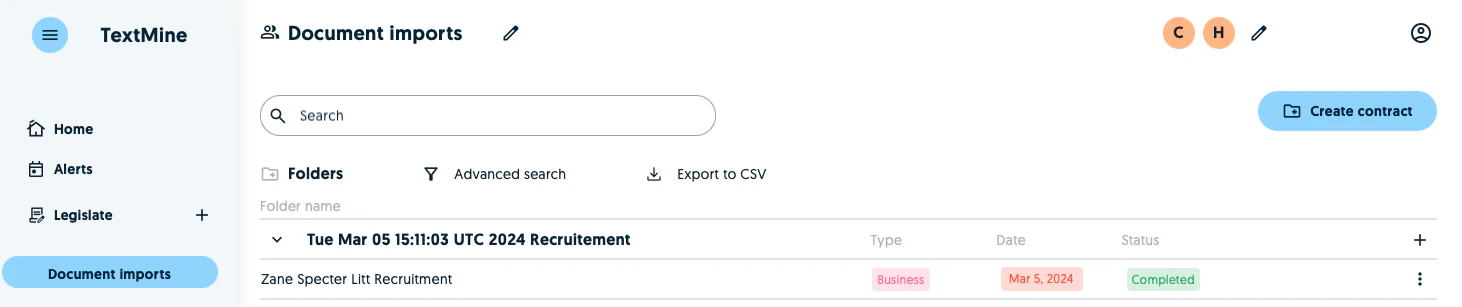 The reason for separating Vault and Legislate teams is so distinguish verified data (Legislate) and data which needs to be reviewed (Vault).