This page was imported from Intercom and may describe older navigation or terminology. Source: https://help.textmine.com/en/articles/13709723-12-february-2026
Alternative names
It is now possible to provide alternative names for a document type which can be used to classify the document. This is useful when the document type name is an abbreviation or not descriptive. Alternative names also increase the chances of the model correctly classifying the document as the desired type.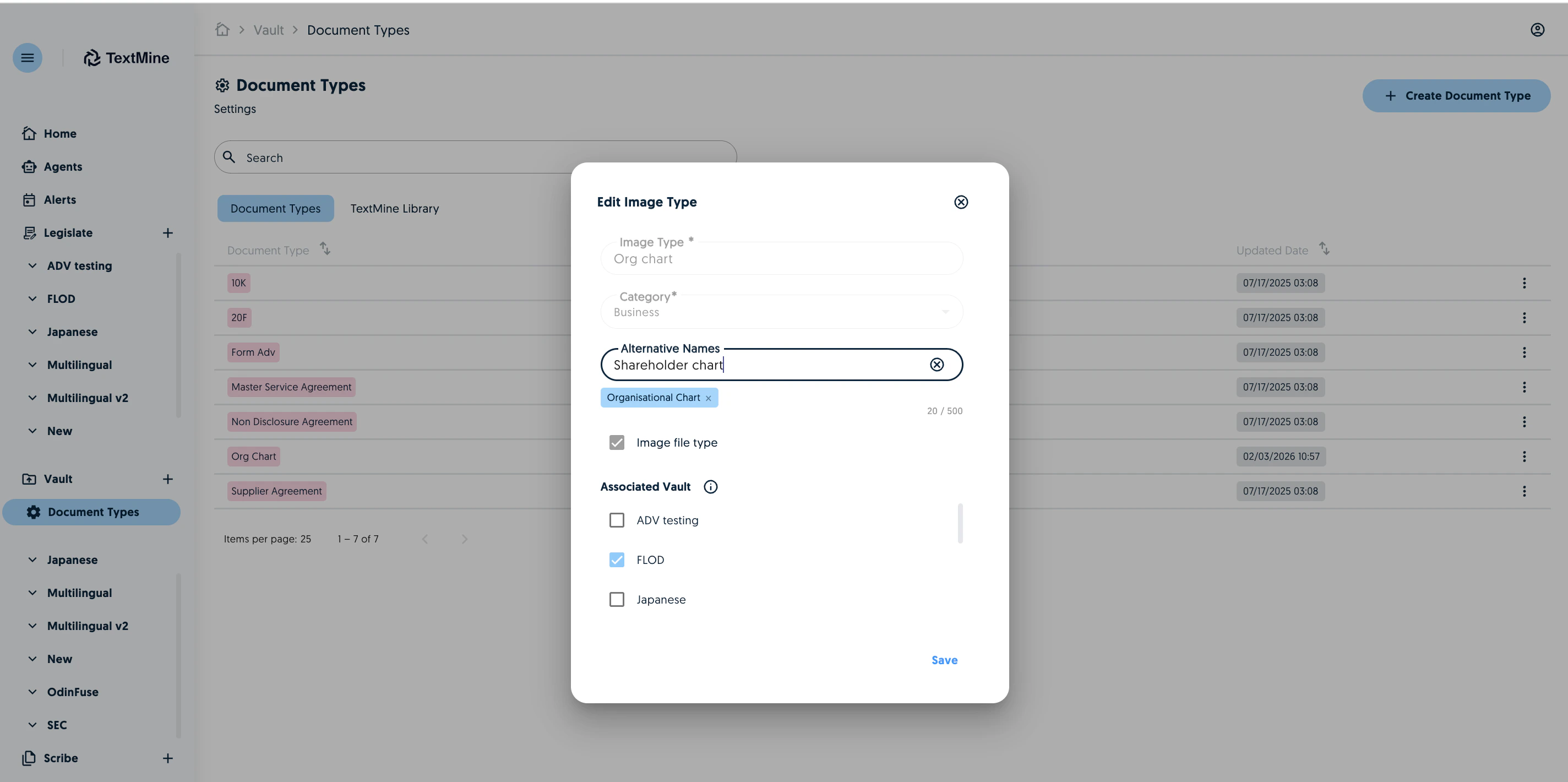
Chained default tags for images
You can now create default chained tags for images which is useful for running prompts on image extracts systematically when the image type is detected.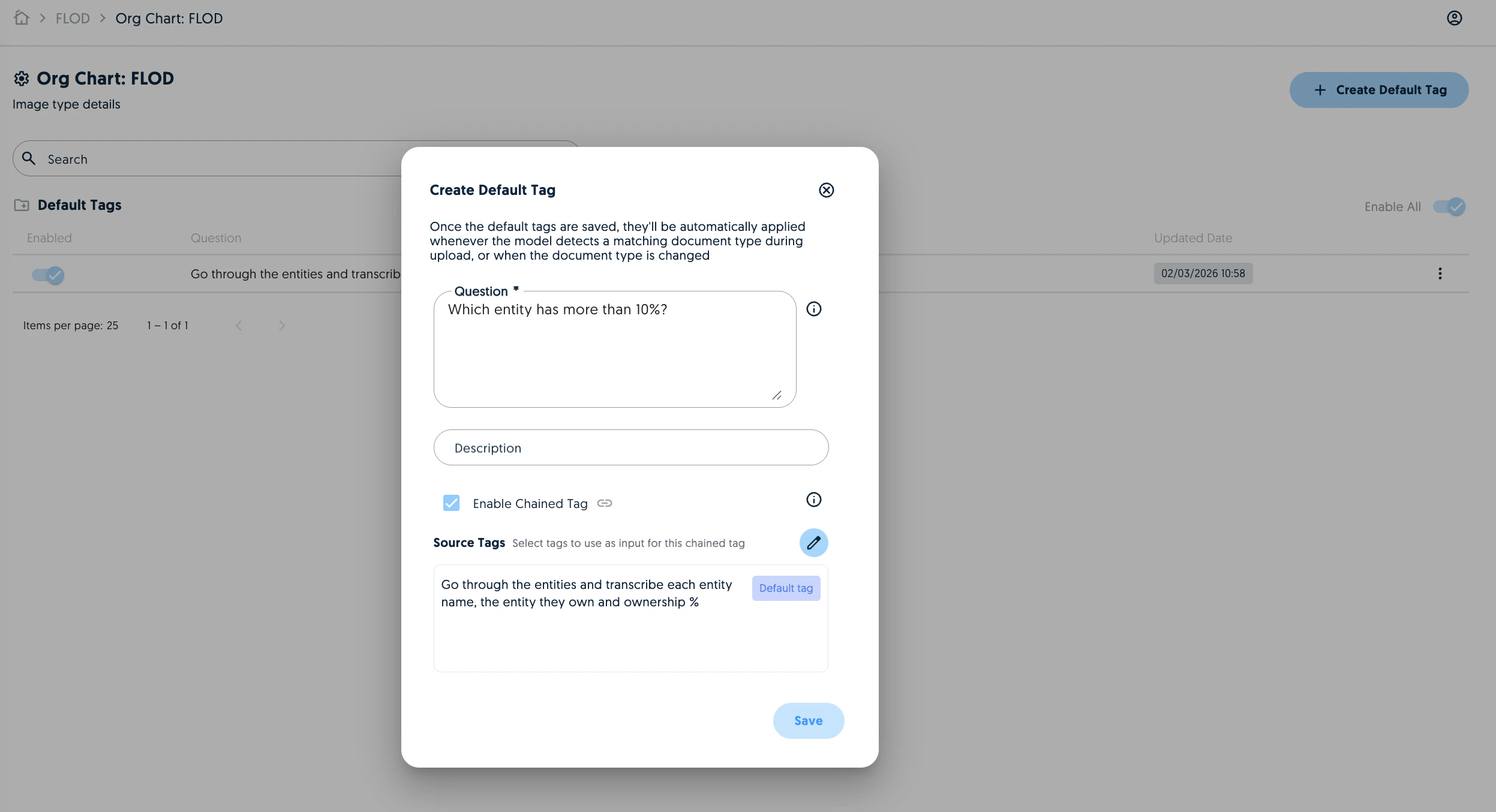
On-demand agents
You can now create on-demand agents which can be run from Vault. On-demand also offer more flexibility as you don’t need to pre-define the scope of the analysis.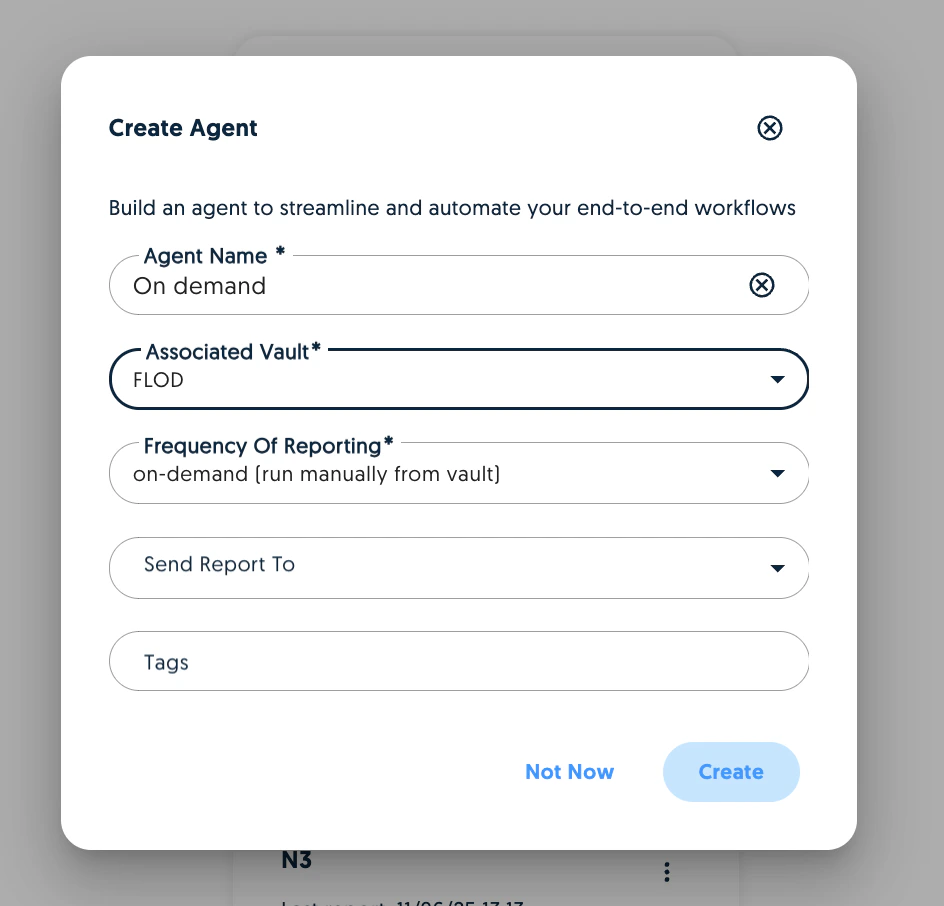
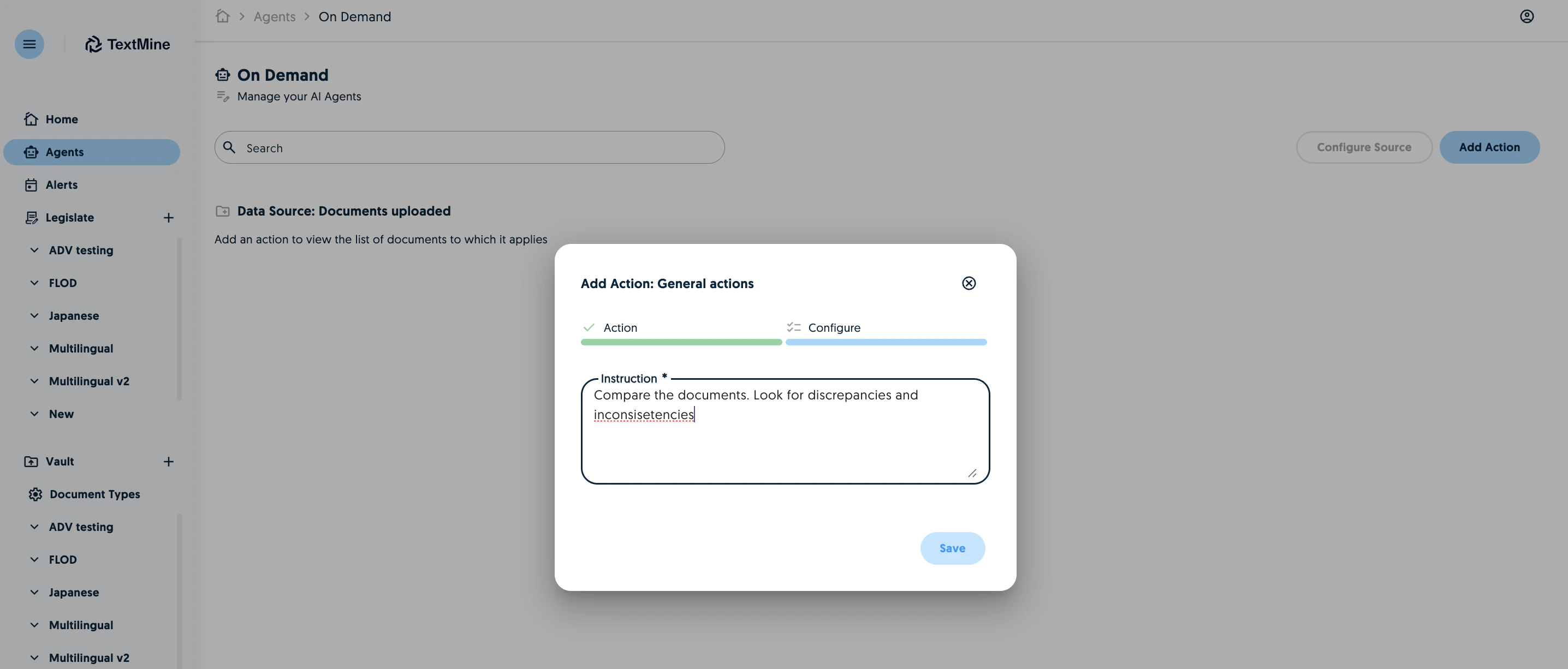
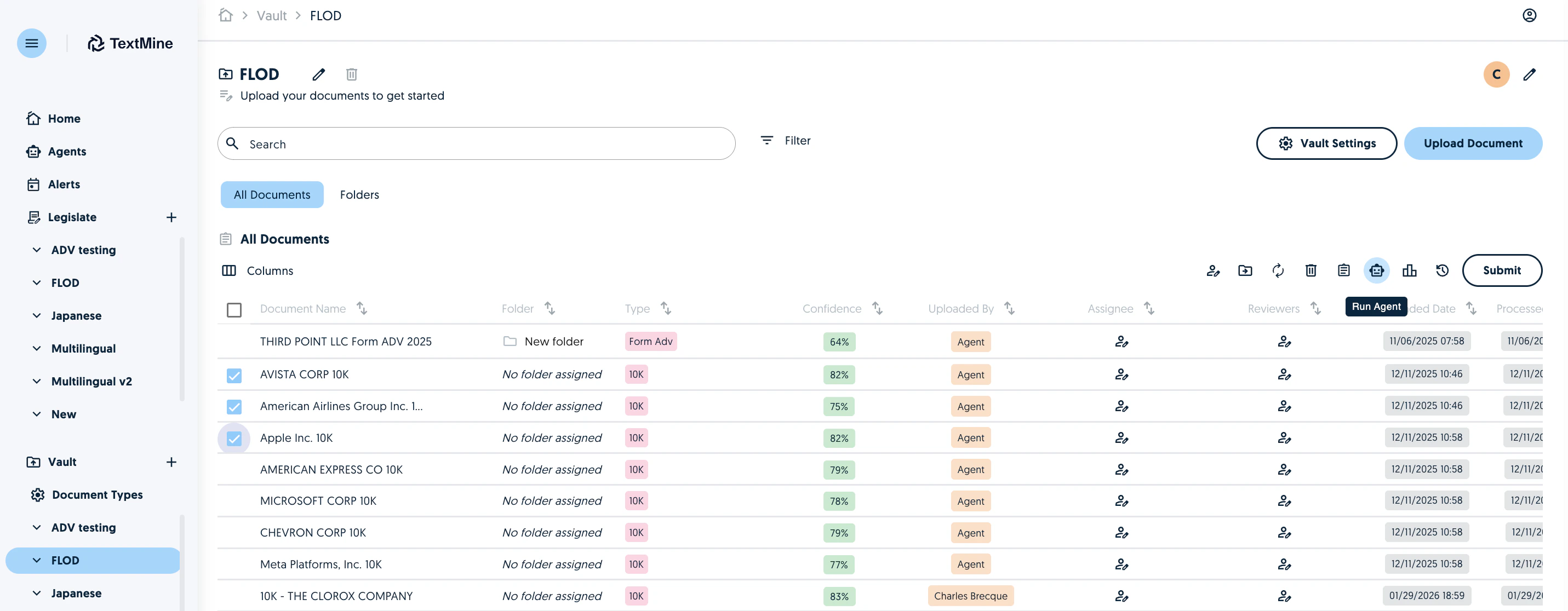
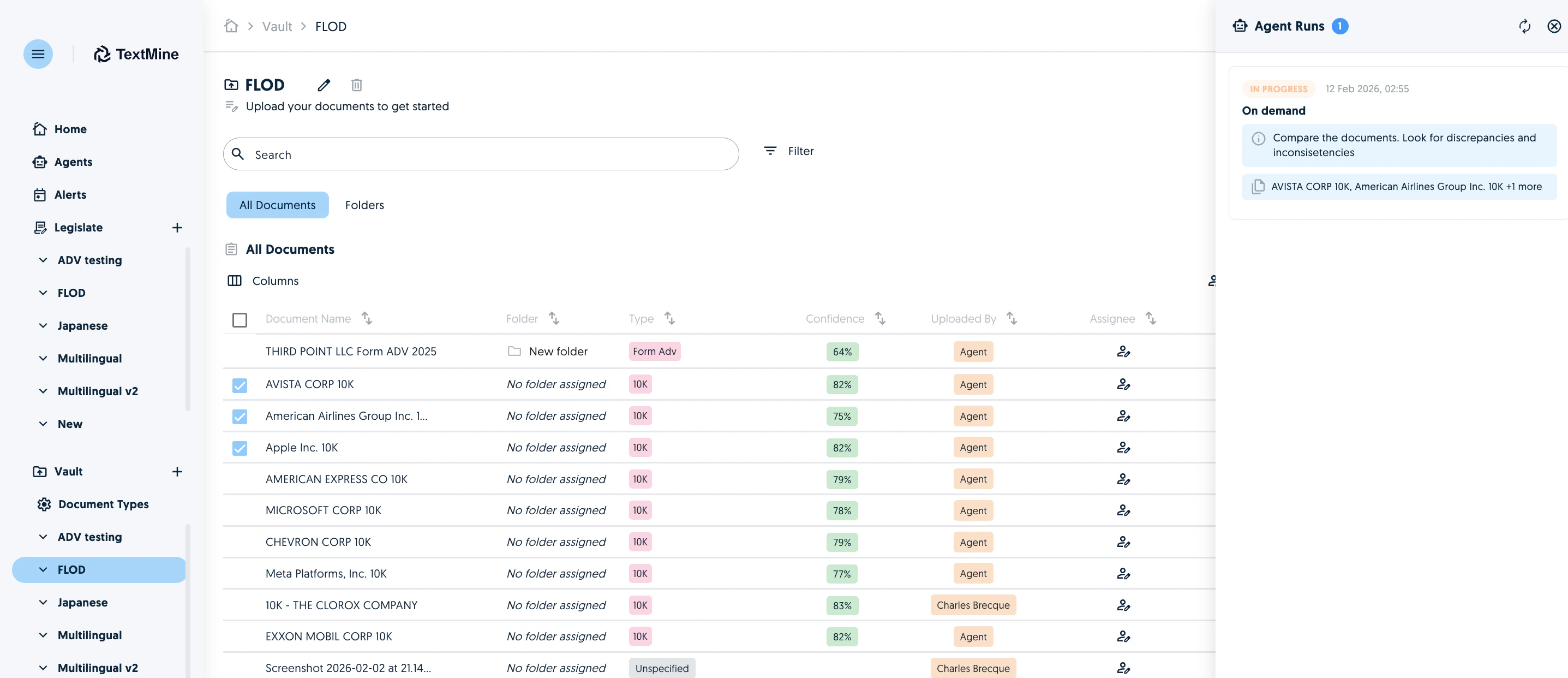
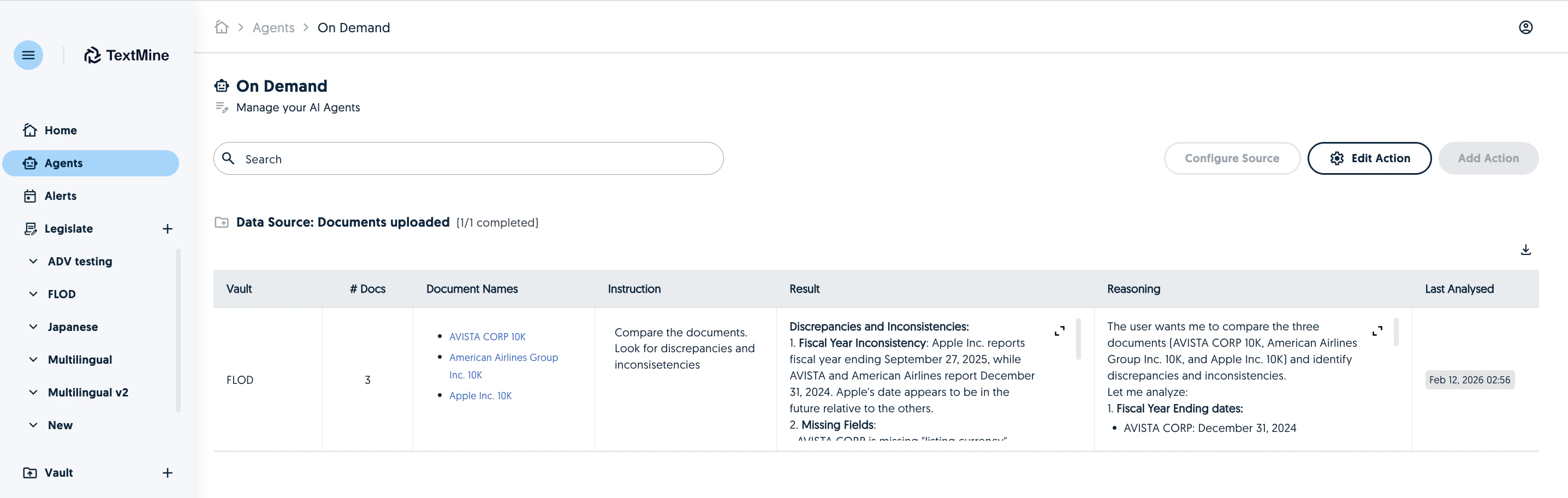
Table improvements
Extracted tables can be included in Agent reports. This allows the reports to be leverage more data than the tags. You can now also extract tables manually from image files.Folder/Zip import
You can now import a zip or folders into Vault. Vault will recreate the folder structure based on what was uploaded.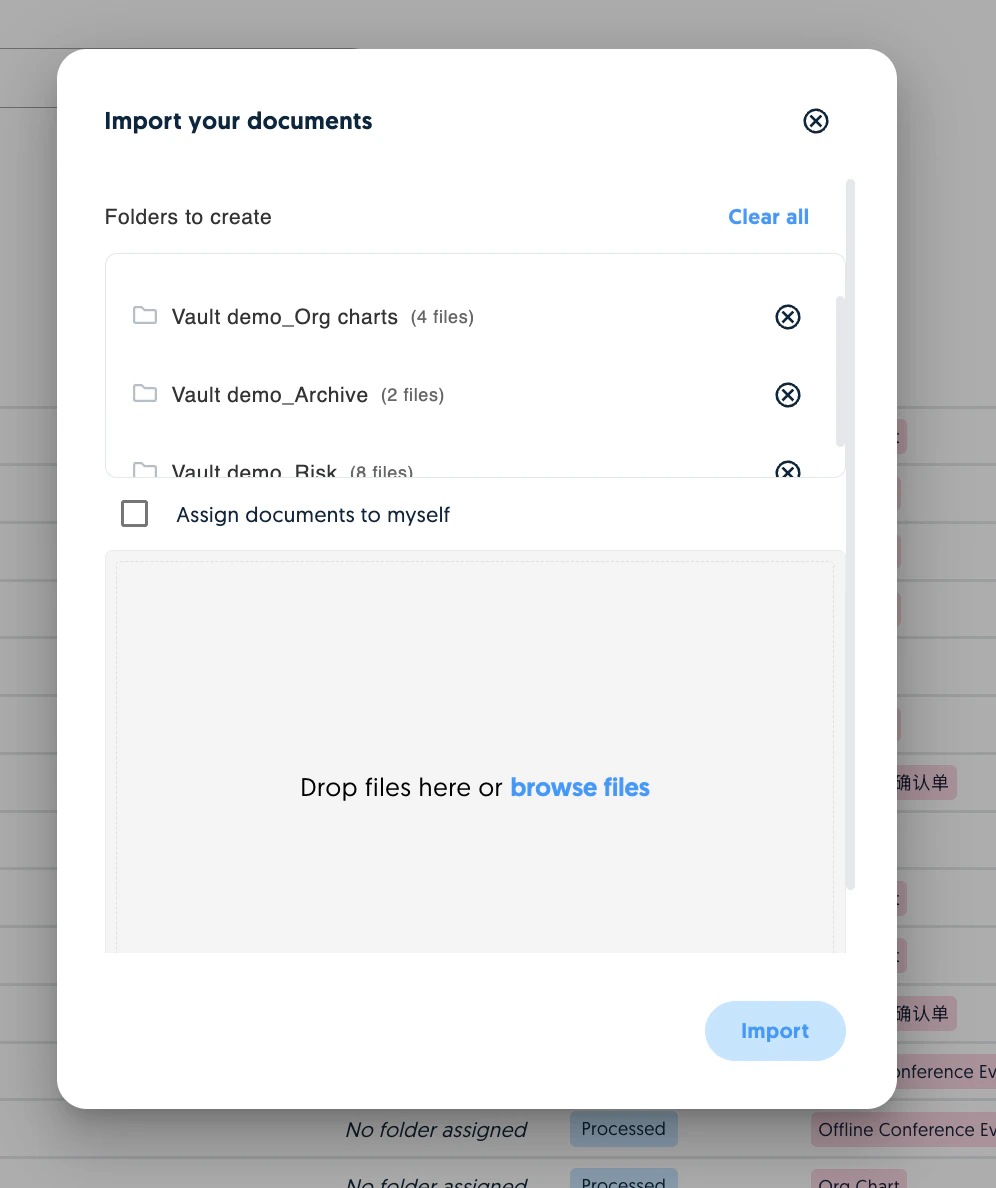
Email integration
You can email attachments to Vault directly. Each Vault has its own email and emails can be refreshed or disabled on demand. You can choose to include the email body in the analysis. When enabled, Vault will be able to answer questions about the contents of the email (e.g. instructions).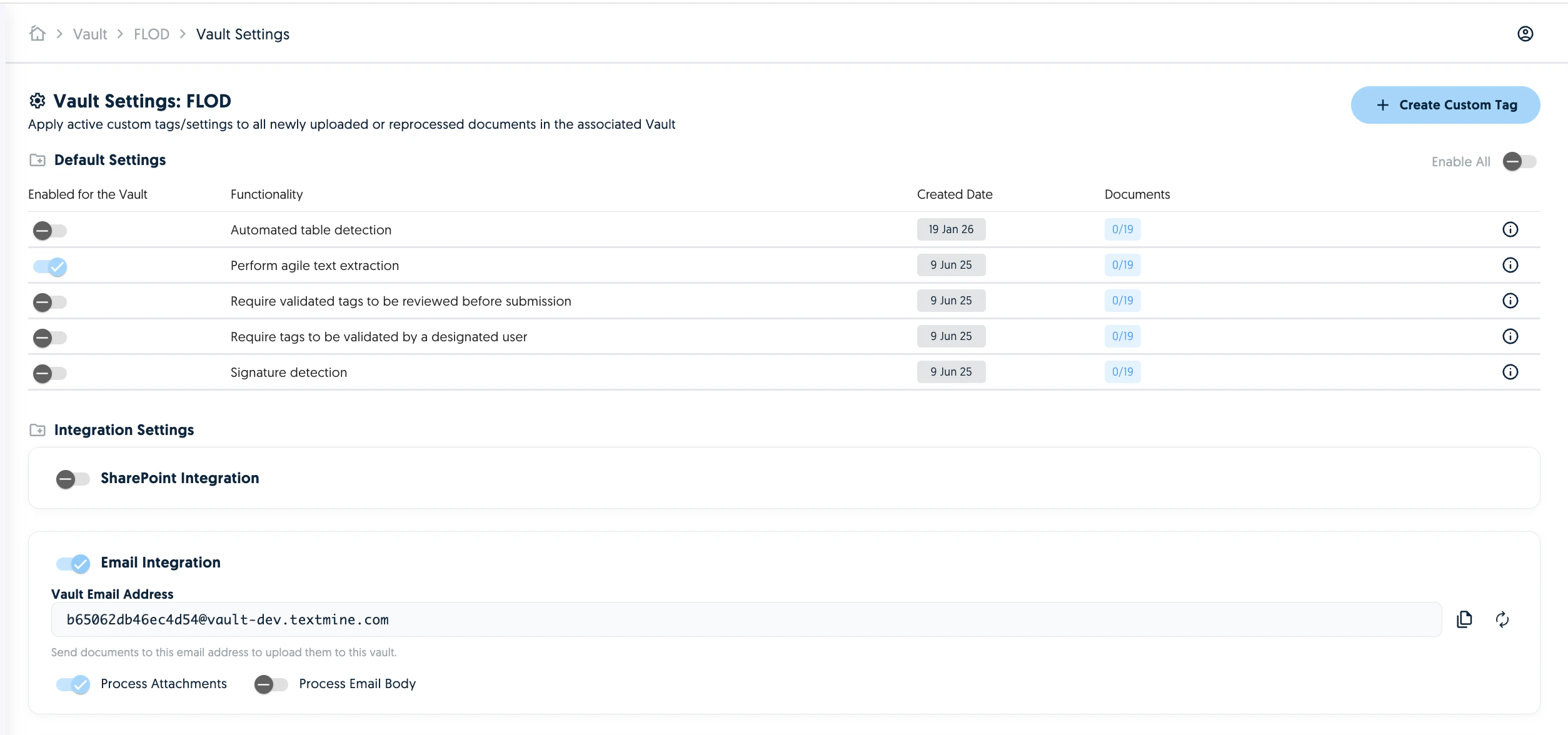
Ariba integration
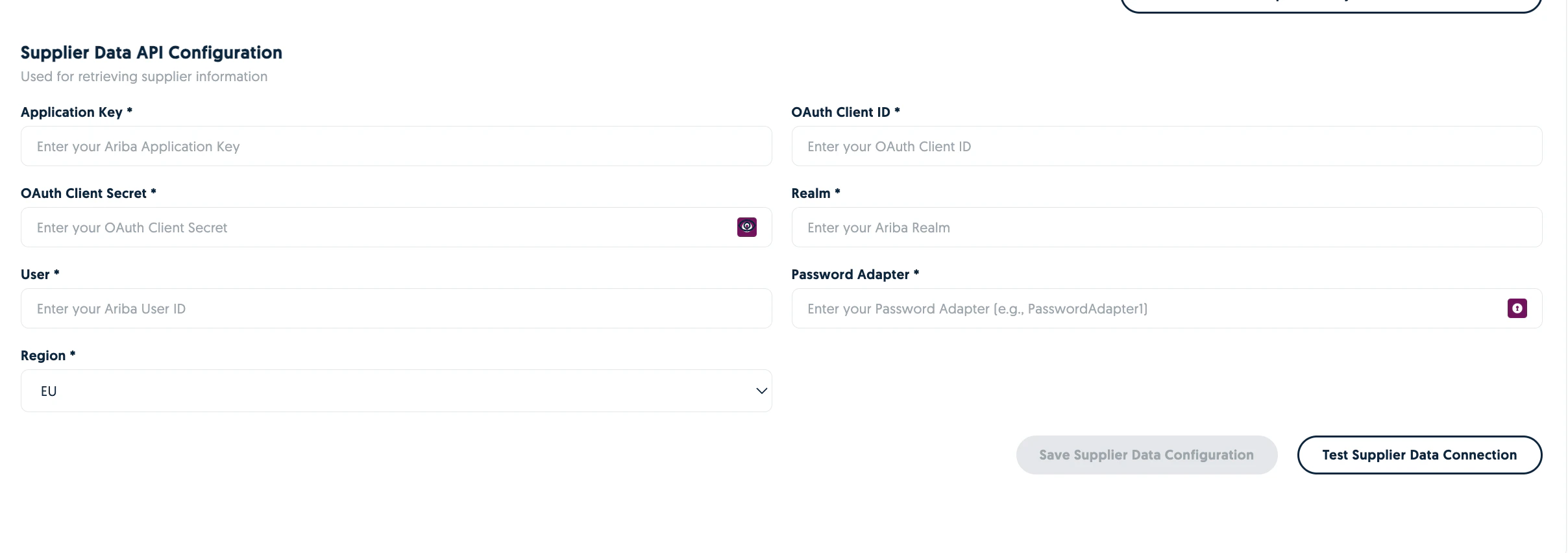
The Ariba integration allows you to connect your Ariba documents to Vault and make the reverse export easier with intelligent Ariba supplier matching.Import contract workspace and project documents
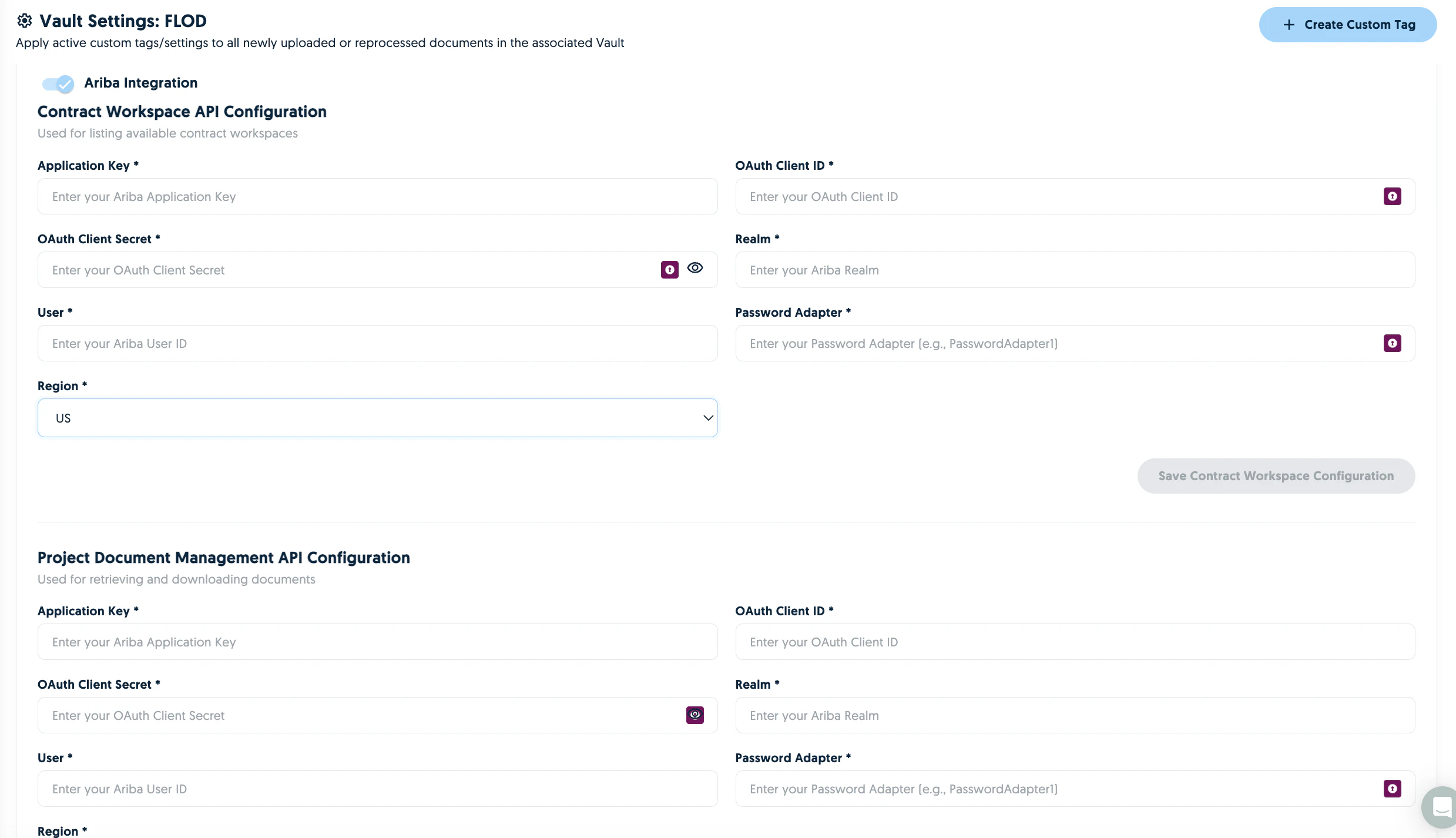
Match supplier details to Ariba
When the Supplier Data API is enabled, Vault will match supplier names identified in documents to their corresponding Ariba IDs.