This page was imported from Intercom and may describe older navigation or terminology. Source: https://help.textmine.com/en/articles/13763619-19-february-2026
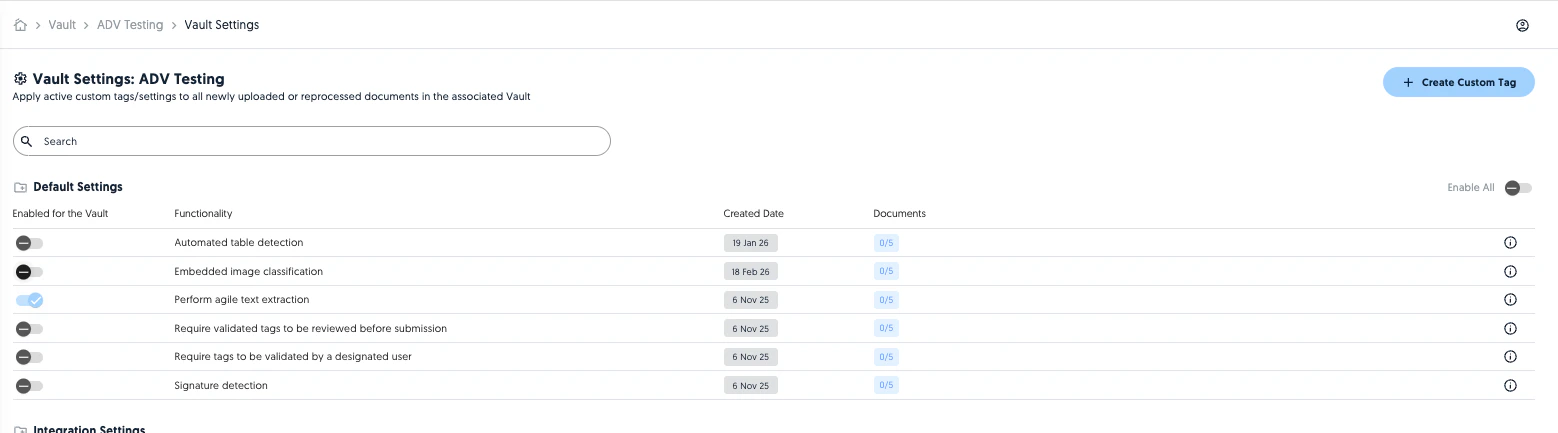
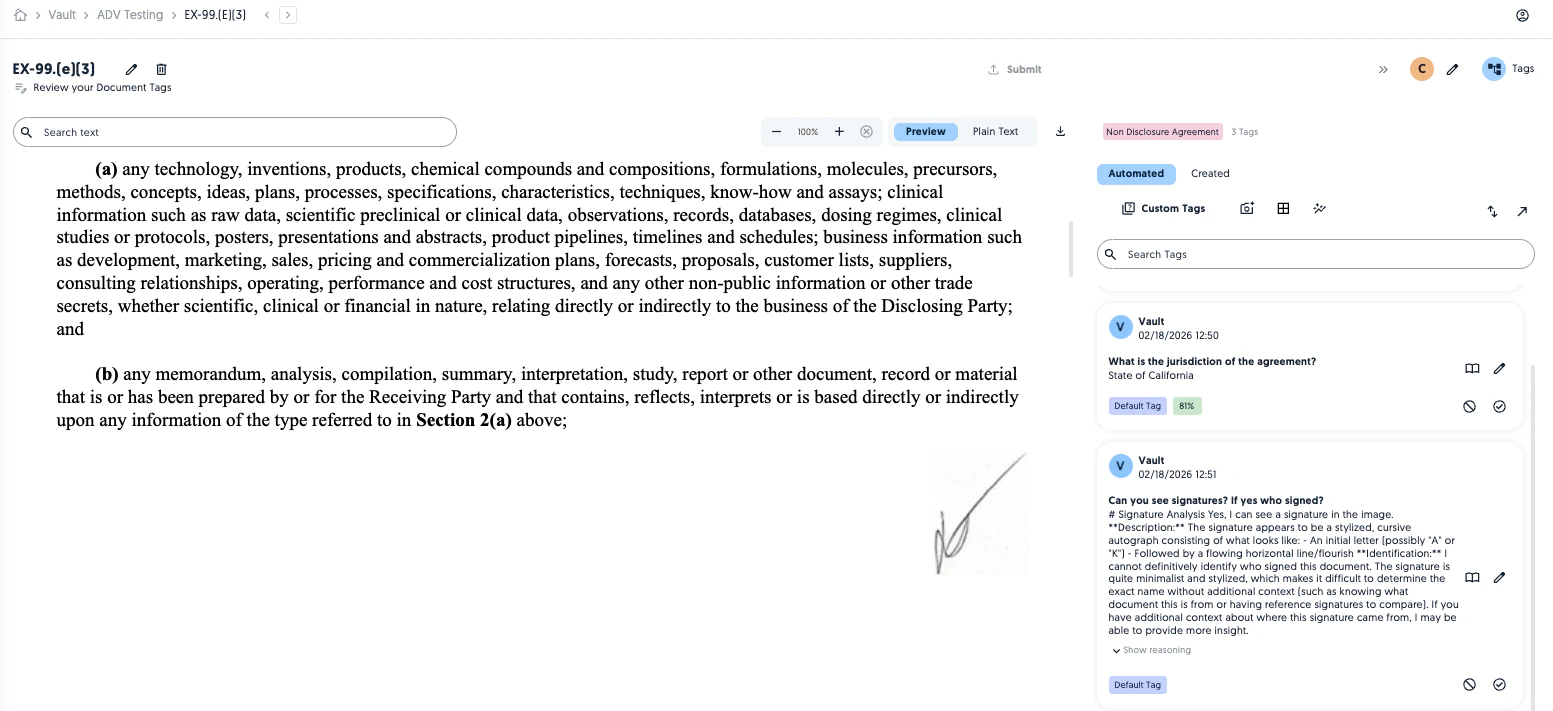
Embedded image detection
It is now possible to identify images inside documents. Images are classified against your predefined image types and their corresponding tags will be processed against any detected images. For example, if you have a chart image type and your default tags ask for a summary of the chart, the embedded image detection will provide a summary for each chart detected in your document. To get started, define your image types, tags and associated vaults.

Org chart transcription
When processing a “Chart Transcription” tag in Org charts, Vault will follow a specific pipeline in order to accurately transcribe the entities and relationships. Entities are sorted by order of appearance for ease of review and corrections.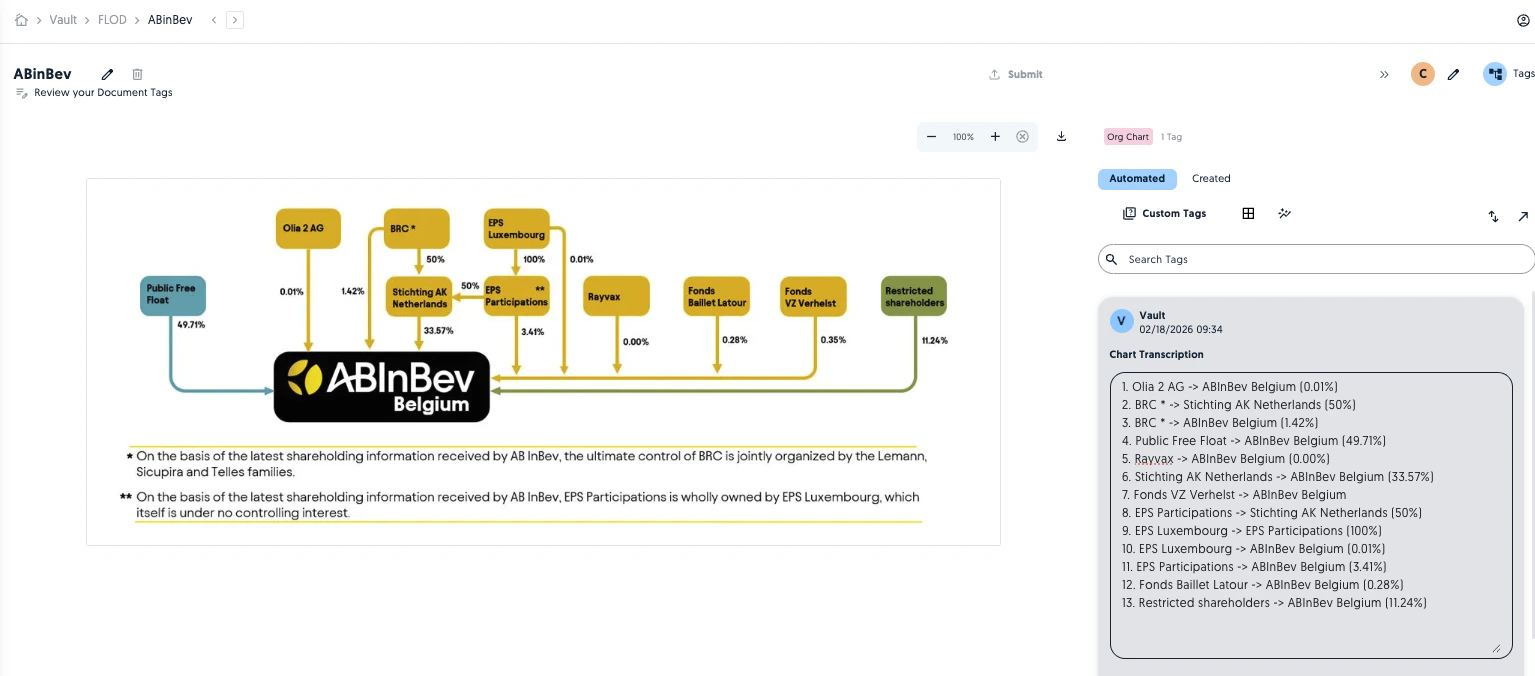
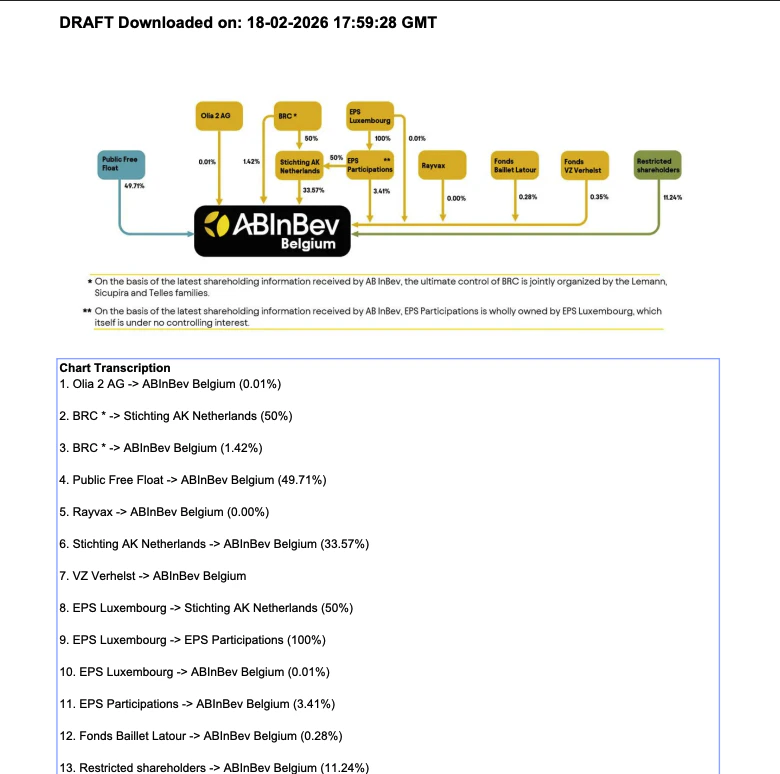
Marked up image downloads
Image documents can now be exported to marked up PDFs with their tags.