Learn how TextMine workflows automate document and data processes with triggers, conditions, approvals, integrations, reports, Python analysis, and run history.
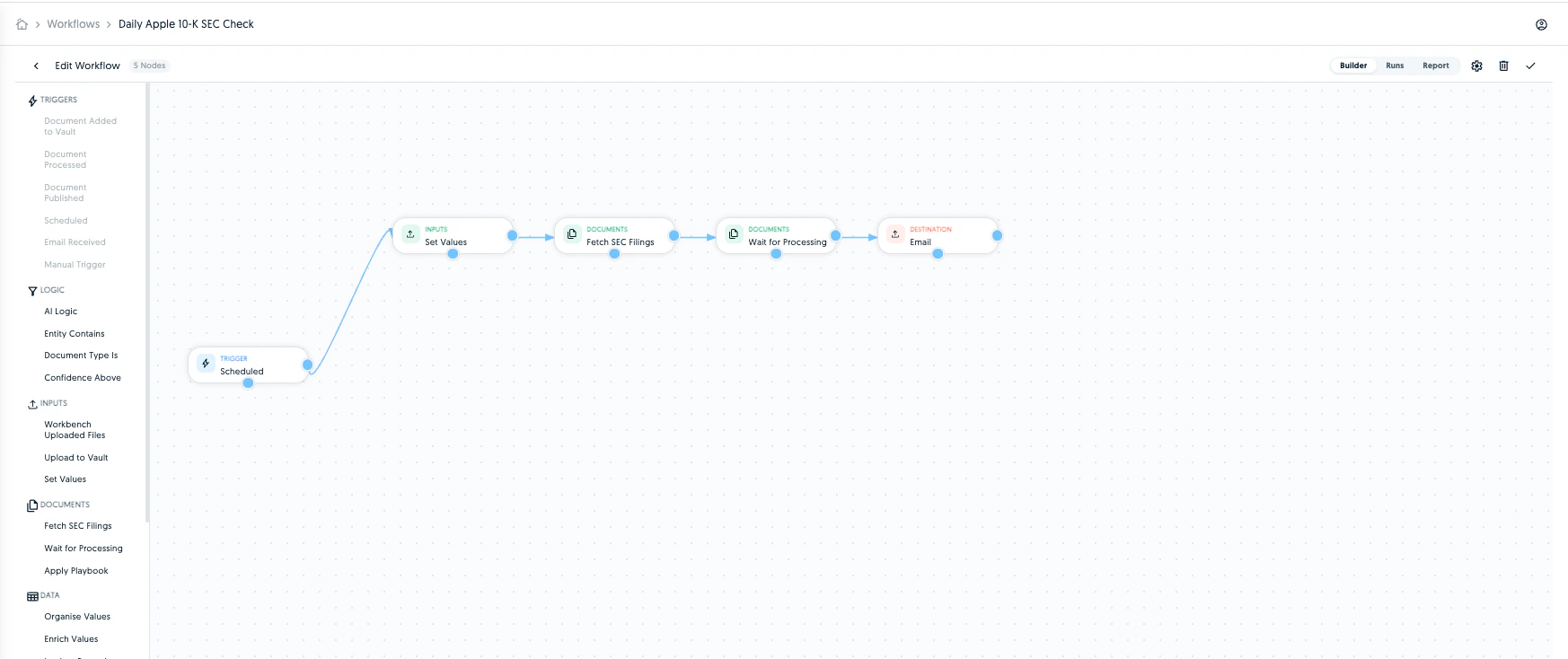
Workflows automate repeatable work in TextMine. A workflow has a trigger, ordered steps, optional conditions, and a run history.For a block-by-block reference, see Workflow blocks. For industry-oriented patterns, see Workflow examples.
Workflows can start manually, on a schedule, when documents are imported, processed, or published, when an email is received, or when someone submits an intake form.
Workflow actions can run agents, run Workbench instructions, upload to Vault, move documents between folders, use Workbench-uploaded files, extract text, search EDGAR or fetch SEC filings, resolve eCFR or FCA Handbook sources, wait for document processing, apply playbooks, set or calculate values, run bounded Python analysis, reconcile data, compare against accepted outputs, enrich values, call APIs or webhooks, export Tableau or Power BI outputs, lookup or create records, collect analytics, sample populations, extract tables or line items, run AI reviews, fill templates, send reports, add reviewers or assignees, create alerts, request approvals, send to Legislate, import or submit to integrations, and send email.
Use data pipeline blocks when a workflow needs to transform or test values before later steps run. run_python supports bounded Python analysis over workflow inputs, labels, variables, arrays, and table outputs. Use it for calculations, table cleanup, exception summaries, and intermediate values that later reports, records, emails, or approvals can reuse.Use source-resolution blocks when a workflow needs authoritative source text before analysis. eCFR and FCA Handbook blocks can fetch official provisions from citations and pass that source text into downstream review, report, or comparison steps.For external APIs, use api_request or webhook rather than Python. API and webhook blocks use structured request configuration and can capture text, JSON values, or downloadable files.
Agents should treat workflows as durable automation, not chat output. A workflow can create business effects such as sending emails, requesting approvals, publishing data, assigning reviewers, calling APIs, moving documents, creating records, or sending documents to Legislate.For product guidance, start with this section and Create a workflow. For exact API operations, schemas, and examples, use the developer hub’s Public API reference and agent guide.Good agent behavior:
Read the workflow catalog before creating duplicates.
Prefer updating or reusing an existing workflow when the process already exists.
Ask for confirmation before triggering a workflow that sends, publishes, assigns, approves, moves documents, or mutates records.
Include workflow IDs, run IDs, and relevant document IDs in summaries.
Use workflow run history when debugging or explaining an automation.
Create a workflow when a process should happen more than once, should run from a trigger, or needs auditable run history. Keep one-off exploration in Workbench until the steps are stable enough to automate.